
Running everything solo means you’re performing all the tasks. Without a decent system, things slip through the cracks, and you end up working harder instead of smarter.
Project management tools can cut that chaos. But most are built for teams, loaded with features you’ll never use, and priced like you have a full staff.
The good ones for solopreneurs are simple enough to set up fast, flexible for whatever you throw at them, and cheap (or free) until you actually need more.
Today I’m breaking down the best project management tools for solopreneurs.
I looked at real use cases from freelancers and one-person businesses, compared the heavy hitters, and picked what works when it’s just you against the workload.
Top Project Management Tools for Solopreneurs Compared
Here’s how the main contenders stack up for solo operators.
| Tool | Best For | Free Plan | Complexity |
| Notion | Docs + tasks in one place | Generous | Medium |
| ClickUp | Power users & automation | Very generous | High |
| Trello | Visual simplicity | Solid | Low |
| Asana | Multi-project structure | Limited | Medium |
| Todoist | Lightweight daily tasks | Basic | Very Low |
Notion
Notion is the best free project management tool for freelancers in 2026.
Its free personal plan includes unlimited pages and blocks, letting solopreneurs manage tasks, notes, client databases, and project wikis in one workspace.

Notion is particularly good for knowledge-heavy projects — product development, content strategy, and research. Its tasks, notes, wikis, and project documentation all live in one place, removing the context-switching cost entirely.
You build custom dashboards, task boards, client portals, content calendars — whatever you need. Databases link together nicely. Free plan is generous for most solo users.
Strengths: Extremely flexible, great for notes + tasks + planning in one place, templates galore.
Weaknesses: Can get overwhelming if you over-customize. Slight learning curve.
Best for: Creators, coaches, freelancers who want everything connected.
ClickUp
ClickUp is a versatile project management tool designed for teams and solopreneurs who need a flexible workspace to manage tasks, projects, and workflows.
It provides customizable views, allowing you to tailor your workspace to fit your specific preferences — switching between list, board, and calendar views.
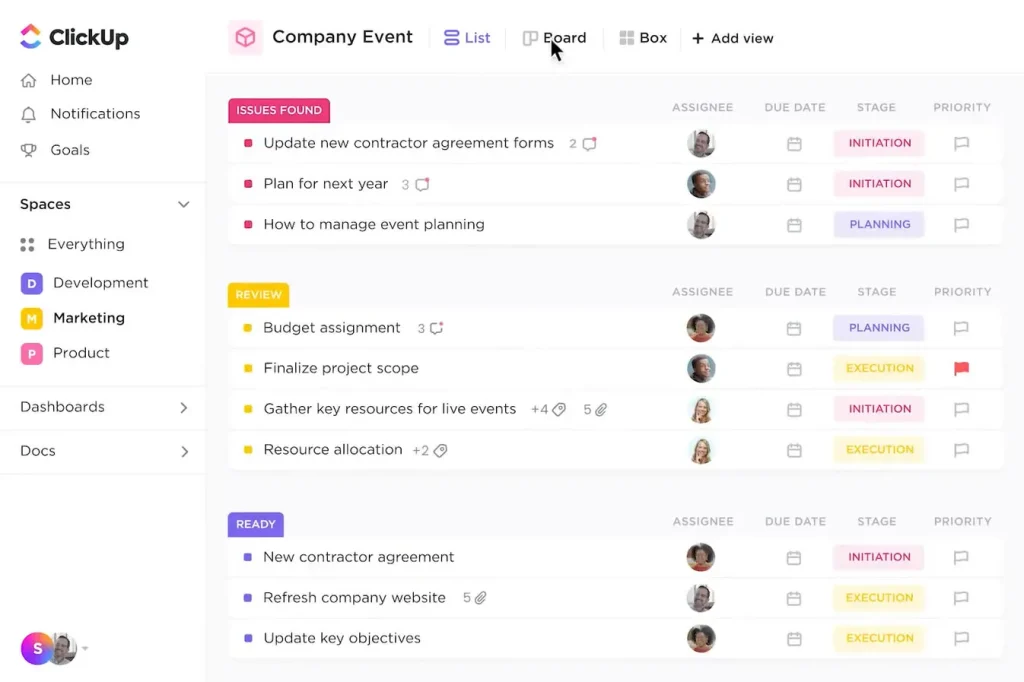
ClickUp is the top free pick due to its generous free plan with unlimited tasks, unlimited members, and 15+ views including Gantt charts and whiteboards.
Strengths: Feature-packed without forcing you to use everything, good automation.
Weaknesses: Can feel bloated if you turn on too many things. Steeper curve than simpler tools.
Best for: Solopreneurs who want team-level power but run solo (or plan to scale).
Trello
Trello gets the Kanban boards done right, and the visuals dead simple.
Trello is a visual project management tool known for its intuitive drag-and-drop interface. Its visual task board approach simplifies project tracking, making it easy to see progress at a glance.
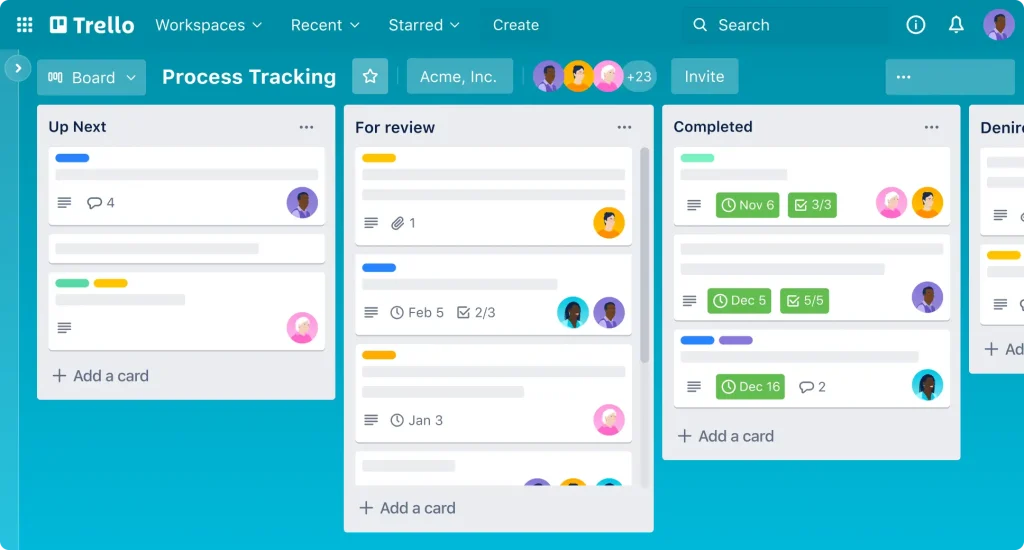
It offers various templates, making it easy to get started without reinventing the wheel.
Trello’s automation bot, Butler, helps you delegate repetitive tasks by setting up rule-based triggers.
Apart from the Kanban board, you can see tasks and projects in timeline, list, and calendar views.
Strengths: Stupidly easy to start, great visual overview.
Weaknesses: Less robust for complex projects or heavy note-taking.
Best for: Beginners or anyone who wants minimal friction.
Asana
Choose Asana if you manage multiple ongoing projects, need task dependencies and timelines, and want a structured approach that’s not overwhelming.
Asana is best for structured multi-project task management, though it has no timeline (Gantt) view on the free tier, and reporting and dashboards are paid features.
Keep in mind that Asana can feel rigid compared to Notion’s flexibility.
Strengths: Intuitive, reliable reporting.
Weaknesses: Free plan is limited for solo use long-term. Less flexible for personal knowledge base.
Best for: Service-based solopreneurs managing multiple client projects.
Todoist
Todoist is the best lightweight to-do list tool for personal task flow. It’s specifically recommended for solo users or freelancers who need focused personal task management.

Todoist handles quick personal tasks well, and many solopreneurs use it alongside a heavier tool. For example, ClickUp for production sprints and Todoist for day-to-day personal tasks.
So if you’re looking for pure task management, fast, reliable, and great natural language input for quick entry, try it out!
Strength: Clean, fast, and distraction-free task management with a minimal learning curve.
Weaknesses: Lacks advanced project views, docs, and automation features needed for complex workflows.
Best For: Solopreneurs who need a simple, reliable daily task list without the overwhelm.
Other mentions: Monday.com (visual but pricier), Basecamp (simple team-style comms), specialized tools like Bonsai or Harvest for client + invoicing combos.
My Top Recommendations
Best Overall for Most Solopreneurs: Notion
Notion wins for its versatility. You can run your entire business in it — pipeline, active projects, content planner, resource library, even a simple CRM.
Many solo operators stay on the free plan for years. It grows with you without forcing a switch.
Start with a good template (project tracker + daily dashboard) and you’ll have a system in an afternoon.
Best for Power Users: ClickUp
If you love tweaking processes, automating repeats, and having multiple views of the same data, go ClickUp. It handles complex solo workflows better than most without needing a team.
Best for Simplicity: Trello
When you want something that just works in five minutes and stays out of your way. Perfect if complex tools stress you out.
How To Choose the Right One for Your Workflow
– Content creator or knowledge worker? → Notion
– Multiple client deliverables with deadlines? → ClickUp or Asana
– Visual thinker who likes boards? → Trello
– Hate learning curves? → Start with Trello or Todoist
– Want to combine tasks + notes + wiki? → Notion
Test the free versions with your actual work for a week. Import a couple real projects and see what sticks.
Don’t fall for analysis paralysis — pick one and run with it. You can always migrate later.
FAQs
Is a full project management tool even necessary for solopreneurs?
Not always. Many run fine with a good calendar + task list. But once you have several moving pieces, a dedicated tool saves hours and mental energy.
Can I use just Google Sheets or Docs?
Yes, for very light needs. Most people eventually outgrow it when things get busy.
What about pricing as a solo user?
Notion and Trello free tiers handle most solo work. ClickUp and others have usable free plans too. Only upgrade when you hit limits.
Should I wait until I have clients or revenue?
No. Implementing a system early makes scaling easier and prevents chaos.
The Bottom Line
The best project management tool for solopreneurs is the one you’ll actually use consistently.
For most people right now, that’s Notion because it combines tasks, notes, and planning without extra apps. But your mileage depends on how your brain works and what you’re managing.
Pick one, set it up simply, and iterate. The real win isn’t the fanciest tool — it’s getting out of reactive mode and running your business instead of it running you.
Try one this week. You’ll thank yourself when deadlines stop sneaking up.