
When you are a solopreneur, task management isn’t just about checking boxes. It is about making sure you get paid, tracking the hours you bill, and not losing client details in a sea of sticky notes.
The problem is that most “free” task managers are traps. They give you just enough space to get hooked, then hit you with a paywall the moment you want to add a client or see a report.
I went looking for the tools that dont do that. These five apps give you real functionality at zero cost. No weird user limits. No forced upgrades to access basic features.
Here are the best free task management software for solopreneurs in 2026.
What a Solopreneur Actually Needs in a Task Manager
Before we get to the list, let’s be honest about what you actually need versus what the marketing teams want you to think you need.
How a solopreneur manages their task differs from person to person.
You do not need enterprise-level analytics. You do not need a Gantt chart that looks like a NASA launch sequence.
You need reliability, speed, and a few specific features:
– Time tracking (because if you don’t track it, you can’t bill it).
– Client management or basic contact storage.
– Offline access (WiFi at the coffee shop is never guaranteed).
– No forced collaboration seats (you are a team of one).
If an app pushes you to “invite your team” just to organize your own projects, it is not built for you.
The Contenders at a Glance
| App | Best For | Free Tier Limits | Time Tracking | Platform |
| Super Productivity | Developers & deep focus work | Unlimited (Forever free) | Yes (Built-in) | Windows, Mac, Linux, Android, iOS |
| Zoho Solo | Freelancers needing invoicing | Unlimited (Forever free) | Yes | iOS, Android (Web coming) |
| Trello | Visual project flow | 10 boards / unlimited cards | No (Needs plugin) | Web, Mobile, Desktop |
| TickTick | Habit builders & planners | 99 tasks / 9 lists | Yes (Limited) | All platforms |
| Nozbe | GTD enthusiasts | 3 projects (Active) | No | Web, Mac, iOS, Android |
1. Super Productivity (Best for Open Source & Privacy)
If you are a developer, a writer, or just someone who hates subscription pop-ups, this is the one.
Super Productivity is an open-source gem that lives on your device. It does not require an account. It does not collect telemetry. It is simply a piece of software that works because the developer wanted to solve their own problem.
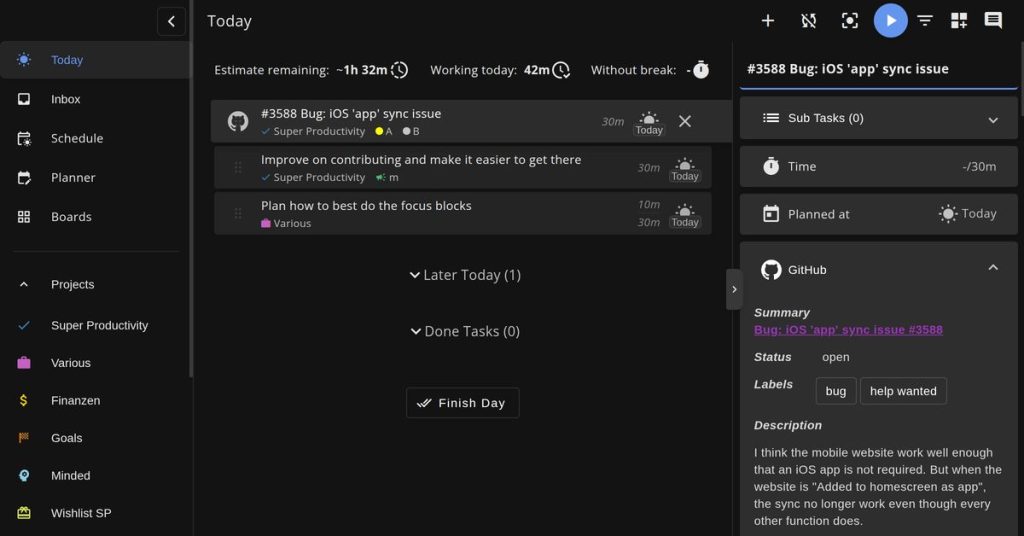
The standout feature here is the integration. You can sync this to-do list directly with Jira, GitHub, or GitLab.
But even if you aren’t a coder, the built-in timeboxing and Pomodoro timer turn it into a focus machine.
How it works for the solopreneur
You do not pay for subscriptions. You install it, drag your tasks onto a calendar to block out your day, and hit the timer.
When you are done, it spits out a timesheet. You copy that timesheet into your invoice. Done.
The catch
It requires a tiny bit of setup. Because it is local-first (meaning your data stays on your hard drive), syncing across a laptop and a phone requires a Dropbox or WebDAV setup.
It takes five minutes. But if you expect everything to just “magic cloud sync” without thinking about it, this might annoy you.
Verdict:
The best tool on this list if you value privacy and depth over shiny UI. It’s open source. And doesn’t bug you for personal information and data.
2. Zoho Solo (Best for Client Management & Invoicing)
Unlike every other app that treats “invoicing” as a paid add-on, Zoho Solo gives it to you for free.
This app merges your to-do list with your CRM and your billing. When you finish a task for a client, you can log the hours, and that data feeds directly into an invoice.
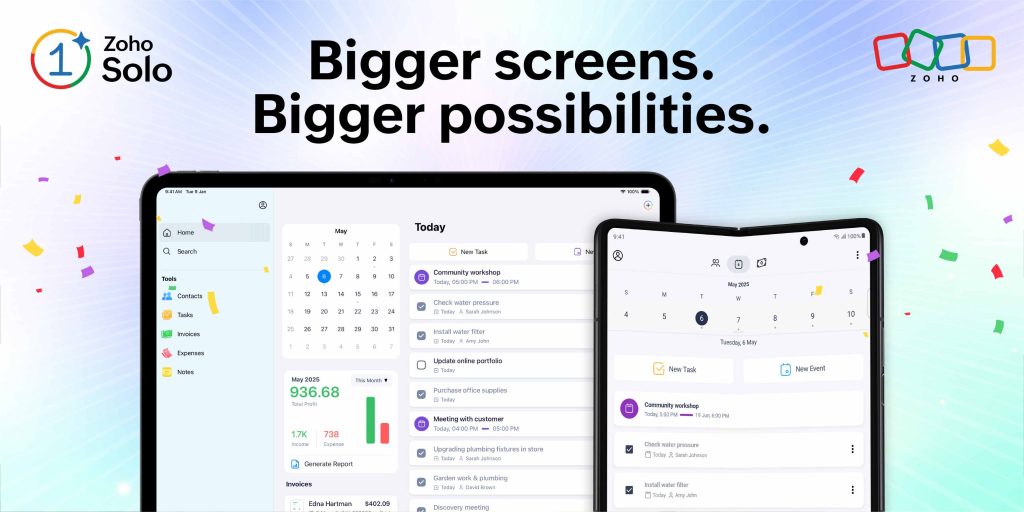
How it works for the solopreneur
You add a client contact.
You create a task for “Website Header Design.”
You track 2 hours.
Later that week, you open the “Invoices” tab, select that client, and the app asks, “Add the 2 hours of tracked time?”
Yes. Send. Paid.
It’s that easy.
The catch
Zoho Solo requires you to “Request Early Access”. So expect to get involved in a waiting period before using the app.
Zoho will also push you to eventually pay for the “Professional” tier ($10/month) to unlock advanced analytics and automations.
However, the core loop of Tasks + Time + Invoices is completely free. That is rare. Very rare.
Verdict
The best choice for consultants, designers, and coaches who hate chasing payments. Zoho Solo’s free tier is good enough for most solopreneurs.
3. Trello (Best for Visual Project Management)
Trello is the old reliable project management tool for solopreneurs.
It is a digital whiteboard with sticky notes. For a solopreneur managing product launches, content calendars, or complex projects with many moving parts, nothing beats the simplicity of moving a card from “In Progress” to “Done”.
The free tier is generous.
You get unlimited cards, up to 10 boards, and one Power-Up per board.
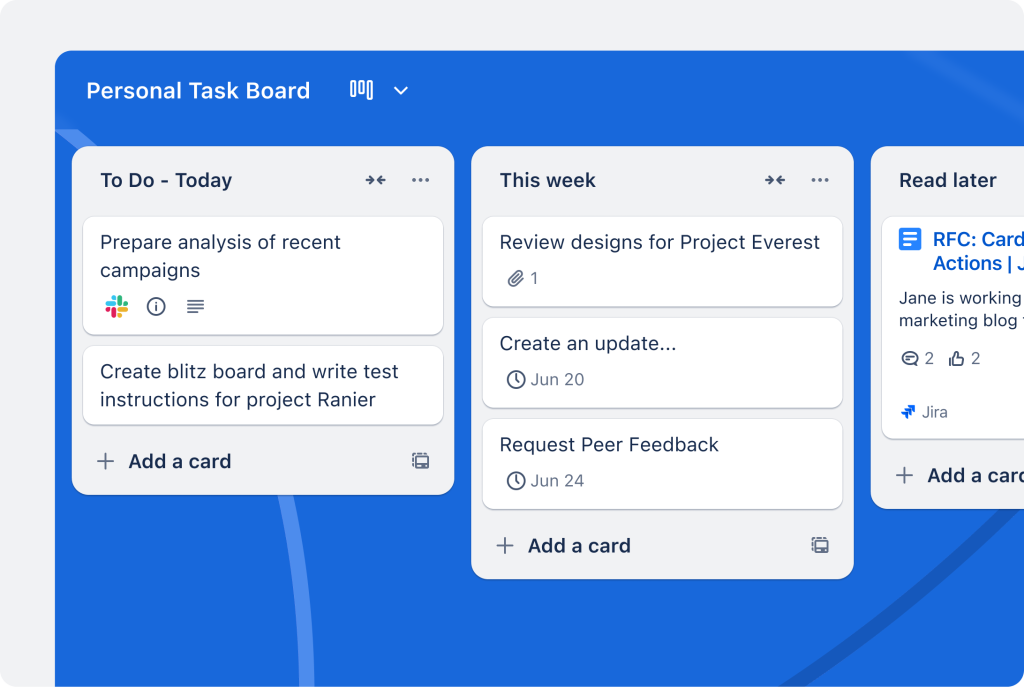
How it works for the solopreneur
You set up a board for “Client Q2 Launch.”
Lists: Backlog, This Week, In Review, Approved.
You drag and drop. The visual satisfaction of seeing a packed “To Do” column shrink to zero is surprisingly motivating.
The catch
Trello does not do time tracking natively. You have to add a Power-Up (like Toggl or Harvest), and the free tier only allows one Power-Up per board.
You also can’t use the Timeline or Dashboard views without paying.
Verdict
Trello is perfect for planning. Bad for billing. Pair it with a separate stopwatch.
You can later upgrade to Asana from Trello when your project gets more complex.
4. TickTick (Best for Daily Habits & Scheduling)
TickTick lives in the gray area between “task manager” and “life planner.”
It is sharper than a basic to-do list but less rigid than a project management tool.
For solopreneurs who struggle with discipline (we all do), TickTick offers a beautiful Pomodoro timer and a habit tracker.
You can set a task for “Write Proposal,” hit the timer, and when the 25-minute bell rings, you take a break.

How it works for the solopreneur
The calendar view allows you to timebox your day.
You drag “Client call” to 10 AM, drag “Invoicing” to 2 PM.
The free version allows 99 tasks and 9 lists. For a solo operator, that is usually enough to manage a month’s worth of work.
The catch:
Push beyond 99 tasks, and the app locks you out of creating new ones until you delete old ones.
Also, the “full calendar” view is paid only.
Verdict
TickTick is great starter app. But if you are a heavy user, you will hit the wall quickly.
—
5. Nozbe (Best for Getting Things Done Purists)
Nozbe is built on the “Getting Things Done” methodology. It is fast, keyboard-driven, and designed to clear mental clutter.
The philosophy here is simple:
Project -> Task -> Comments -> Done.
It strips away the noise. For a stressed-out solopreneur with too many tabs open, this reductionist approach is therapeutic.
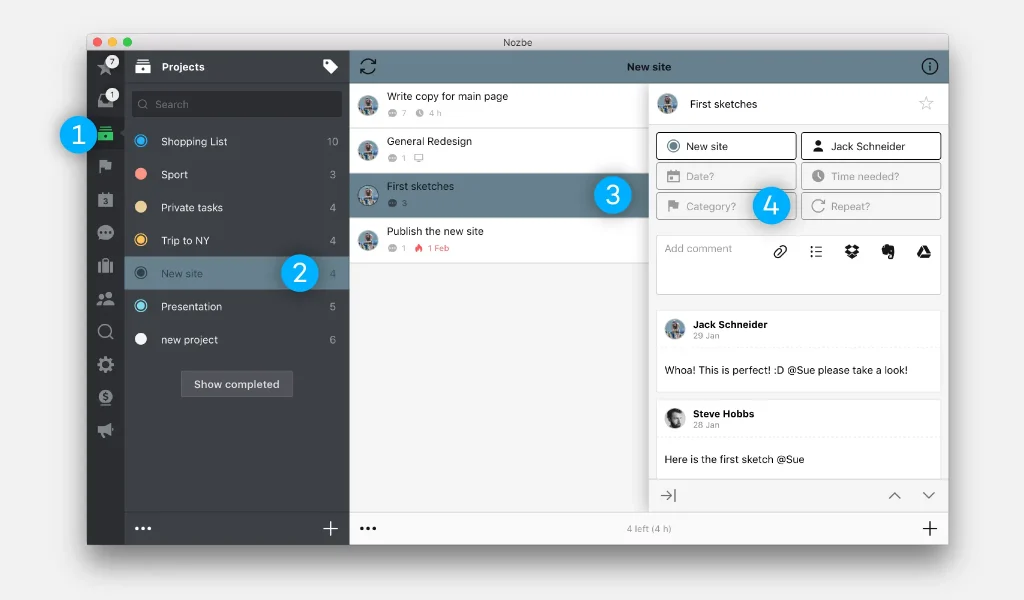
How it works for the solopreneur
You dump every random thought into the “Inbox.” Later, you organize them into specific projects.
Nozbe forces you to focus only on the “Priority” view, which is your actionable work for today.
The catch:
The free version of Nozbe limits you to 3 active projects at a time.
You can archive old ones to bring new ones in, but if you have five clients simultaneously, this becomes a juggling act.
The paid plan starts at around $10/month.
Verdict:
Nozbe is great for mental clarity. Frustrating if you have many clients.
Which One Should You Download First?
Do not just download all five. You will waste an afternoon moving data around and end up using Apple Notes out of spite.
Here is the decision tree.
If you bill by the hour or send invoices: Download Zoho Solo. It is the only app on this list that handles the money side of being a solopreneur natively.
If you are a developer or privacy nerd: Download Super Productivity. Keep your data on your hard drive where it belongs.
If you just need to organize a messy product launch: Download Trello. It is the easiest path to feeling organized in under 10 minutes.
If you struggle to actually sit down and work: Download TickTick. Use the Pomodoro timer. Let it gamify your focus.
FAQs
Is there a truly free task manager with no limits?
Yes. Super Productivity has no task limits, no project limits, and no subscription. It is open-source and funded by donations. The only “cost” is that you have to handle your own cloud sync if you want your data on your phone and laptop.
Can I send invoices from a free task manager?
Zoho Solo allows you to create branded invoices, track expenses, and accept payments via Stripe/PayPal all within its free tier. Most other apps like Trello or Asana require expensive third-party integrations for invoicing.
What is the easiest task manager for a beginner?
Trello has the shallowest learning curve. It looks exactly like a physical corkboard. You do not need to read a manual to understand how lists and cards work.
Do these free apps sell my data?
Generally, no, but check the fine print. Super Productivity is the safest as it collects zero telemetry and requires no account. Zoho and Trello are standard SaaS companies; they use data to improve the service but do not sell your individual task lists to advertisers.
The Bottom Line
Stop paying $15 a month to organize a business that isn’t making $15,000 a month yet.
The free tier of these tools is more than enough for a solo operation.
The only time you need to upgrade is when you are managing a team, need advanced reporting, or hit a specific limit like file storage.
Start with Zoho Solo if money feels tight. Start with Super Productivity if you want to own your data. But start somewhere. The sticky notes on your desk are not a system.