
Most solopreneurs undercharge.
Not because their work isn’t valuable. Because they have no idea how long anything actually takes.
You finish a client project and guess the hours. You send an invoice based on a gut feeling. Then you wonder why your revenue doesn’t match your effort.
A time tracking app fixes that. It shows you exactly where your hours go, so you can price better, bill accurately, and finally see which work pays and which doesn’t.
The problem is there are dozens of options. Some are built for big teams. Some are overpriced. Some are missing the one feature you actually need.
Here’s a clear breakdown of the best time tracking apps for solopreneurs — what each one does, what it costs, and which one you should actually use.
Table of Contents
At a Glance: Best Time Tracking Apps for Solopreneurs
| Tool | Best For | Free Plan | Paid Plan Starts | Invoicing | AI/Auto Tracking |
| Toggl Track | Simplicity + reporting | Yes (up to 5 users) | ~$9/user/month | No (export only) | No |
| Clockify | Budget-conscious teams | Yes (limited in 2026) | $3.99/user/month | Yes (paid) | No |
| Harvest | Invoicing + billing | Very limited (2 projects) | ~$12/user/month | Yes (built-in) | No |
| Timely | Fully automatic tracking | No | ~$11/user/month | No | Yes |
| RescueTime | Productivity + focus | Limited | ~$12/month | No | Yes (background) |
Why Solopreneurs Need a Time Tracker
When you work alone, there’s no HR system logging your hours. No manager reviewing your output. It’s all on you.
Here’s what happens without tracking:
You take a 20-minute task that actually runs 90 minutes.
You underquote the next project based on that false memory. Over time, you work more but earn less.
That’s why tracking time as a solopreneur is something one shouldn’t take lightly..
You see the truth. You adjust your pricing. You stop bleeding hours on low-paying work.
It also helps you identify your most productive hours, manage scope creep with clients, and build accurate quotes for future projects.
For a solopreneur, this is the difference between staying afloat and actually scaling.
The Best Time Tracking Apps for Solopreneurs
Toggl Track
Toggl Track is the go-to for solopreneurs who want fast, frictionless time tracking with solid reporting.
The setup takes minutes. You create a project, hit start, and it runs.
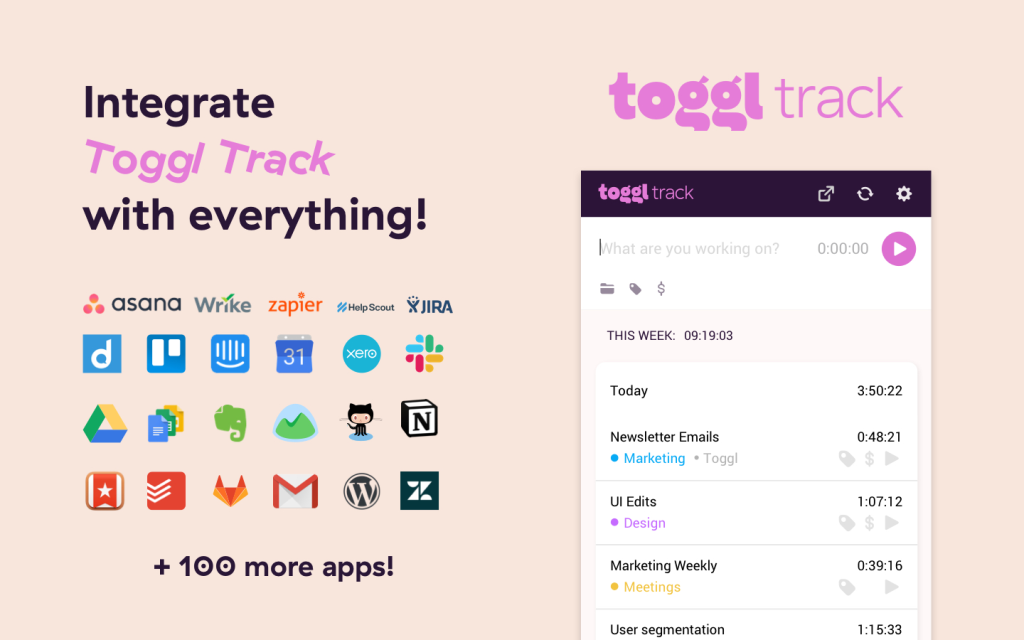
The browser extension lets you start timers directly inside tools like Asana, Trello, Notion, and Google Calendar without switching tabs.
The reports are clean and exportable. You can filter by client, project, or date range and see exactly where your time is going.
This makes it easy to audit your week and adjust accordingly.
What works well:
- One-click timer from any browser or app
- 100+ integrations including Asana, Notion, GitHub, and Jira
- Free plan supports up to 5 users with unlimited projects and reports
- Strong mobile app for tracking on the go
- Clear weekly and summary reports for client billing
What it lacks:
- No built-in invoicing. You export reports and handle billing separately in FreshBooks, QuickBooks, or Xero.
- Project budgets and time estimates require the paid plan (around $9/user/month)
Best for: Solopreneurs who already use a separate invoicing tool and want the cleanest time tracking experience without extra baggage.
Clockify
Clockify has the most generous free plan in this space.
Unlimited users, unlimited projects, unlimited time entries. For a true solo operation on a tight budget, that used to be a slam dunk.
In 2026, that story got complicated.
Clockify tightened its free plan significantly. Billable hours tracking, CSV export, and private projects now require a paid subscription.
That removes some of the key features solopreneurs need most.
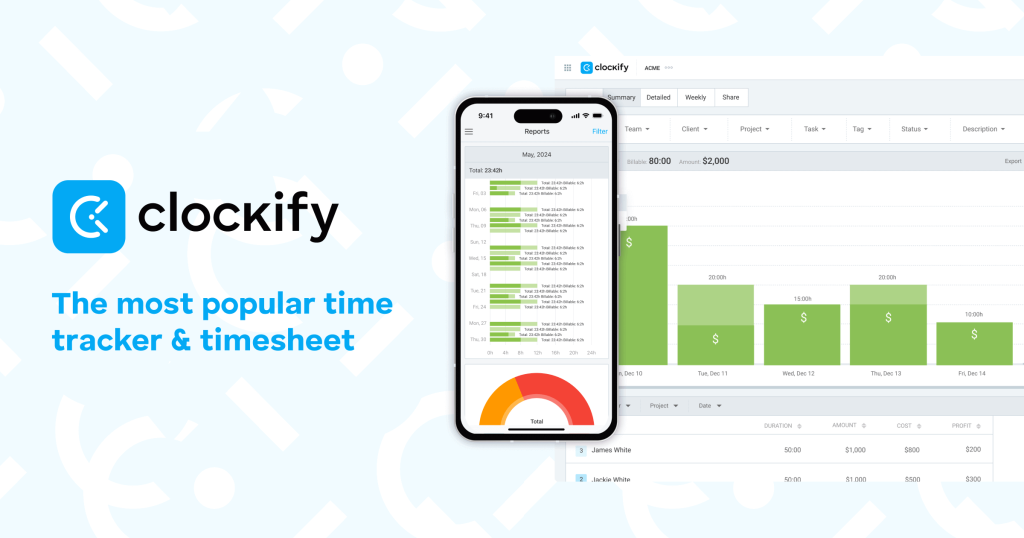
Still, the paid plan starts at $3.99/user/month, which is the lowest among tools with real features.
And the platform is genuinely comprehensive, covering time tracking, basic invoicing, scheduling, and reporting in one dashboard.
What works well:
- Lowest paid plan price of any serious tool in this list
- Multiple tracking methods: timer, manual entry, kiosk
- Integrations with Monday, ClickUp, Google Calendar, Outlook
- Built-in invoicing available on paid plans
What it lacks:
- Free plan is less useful for solopreneurs after 2026 updates
- Interface feels more like a team tool than a solo one
- No AI or automatic tracking
Best for: Solopreneurs on a strict budget who are ready to pay a few dollars a month for a full-featured tracker.
Harvest
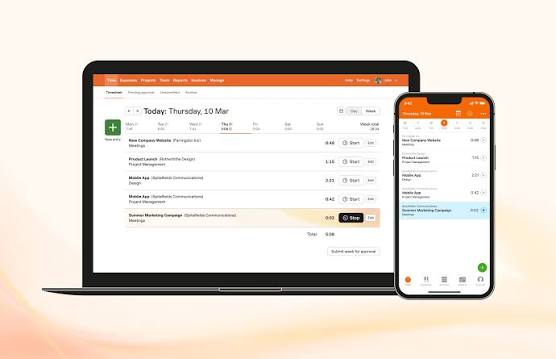
Harvest built its reputation on one thing: tracking time and turning it into invoices without friction.
For service-based solopreneurs who bill by the hour, that’s a compelling value proposition.
You log hours, and Harvest generates a clean invoice.
You can send it, accept payment via Stripe or PayPal, and track who has paid. It’s a genuine time-to-cash workflow.
There’s a catch. After Harvest was acquired by Bending Spoons in 2025, users started reporting massive price hikes at renewal.
Some went from $12/month to hundreds or thousands. Some saw fees 10x or higher than their original plan.
This is a live concern. Check the current pricing directly before committing.
What works well:
- Seamless time-to-invoice workflow, built for billing
- Accepts payment via Stripe and PayPal
- Integrates with Asana, Slack, Basecamp, and others
- Clean, intuitive interface
What it lacks:
- Free plan is nearly useless at just 2 projects
- Pricing has become unpredictable and expensive post-acquisition
- No automatic tracking or AI features
Best for: Solopreneurs who live and die by hourly billing and want one tool to track, invoice, and collect. Verify current pricing before you subscribe.
Timely
Timely takes a different approach. It tracks your time automatically in the background, without you starting or stopping any timer.
It monitors your apps, documents, websites, and calendar events. At the end of the day, you review a draft timeline and confirm or edit entries. The result is an accurate record with minimal manual effort.
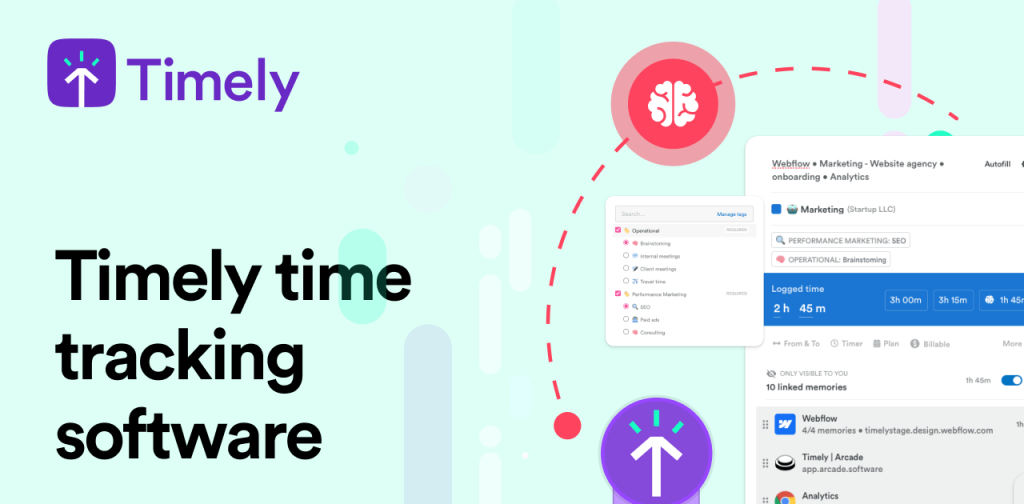
For solopreneurs who context-switch constantly or forget to stop their timer, Timely is a genuine fix. You stop reconstructing your day. The app does it for you.
What works well:
- Fully automatic time capture with AI-powered activity logging
- No behavior change required — it runs in the background
- Useful for solopreneurs who juggle many tasks across different tools
- Good reporting for client billing
What it lacks:
- No free plan. Paid plans start around $11/user/month.
- No built-in invoicing
- May feel like overkill if you only need basic tracking
Best for: Solopreneurs who forget to log time, do deep work across multiple tools, or constantly lose track of how long things take.
RescueTime
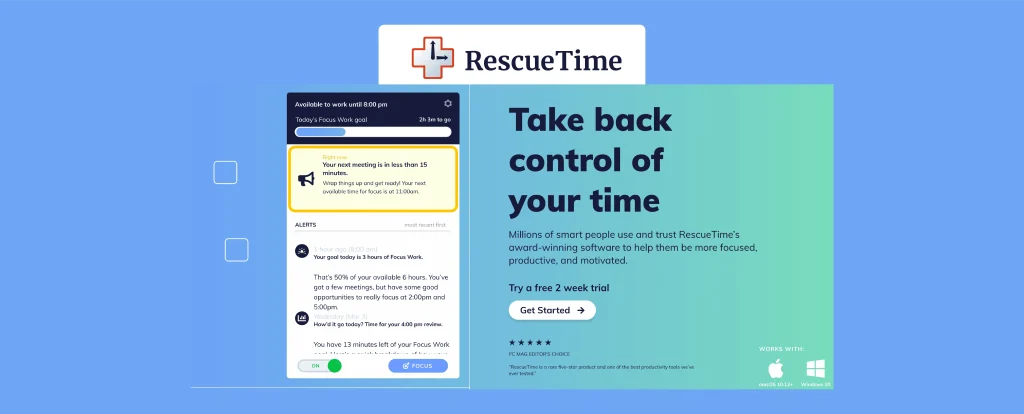
RescueTime works differently from the other tools here. It doesn’t track client projects. It tracks you.
It runs silently in the background and categorizes every app, website, and document you use.
It tells you how many hours you spent in deep work, how many you lost to distractions, and where your time actually disappeared.
It’s a personal productivity tool, not a billing tool.
There’s no client tracking, no invoicing, no project-level reporting.
But if you’re trying to understand your habits, fix your focus, or stop wasting hours, it fills that gap better than anything else on this list.
What works well:
- Fully automatic background tracking with no manual input
- Productivity scoring that categorizes distracting vs. focused work
- Focus sessions that block distracting sites while you work
- Great for identifying your most productive hours
What it lacks:
- No client billing or project tracking
- Not suitable as a sole billing tool
- Some users are uncomfortable with continuous app monitoring
Best for: Solopreneurs who want to understand their personal work patterns before or alongside using a client-facing billing tool.
How to Choose the Right One for You
The right tool depends on how you work and what problem you’re actually solving.
You need to track and invoice clients: Harvest is the most integrated, but verify pricing first. Toggl exports clean reports for your invoicing tool if you prefer keeping them separate.
You want automatic tracking without discipline: Timely is built for this. RescueTime is better if the goal is self-awareness rather than client billing.
You want the lowest possible cost: Clockify’s paid plan at $3.99/month is the most affordable real option. Toggl’s free plan works for true solo operators.
You want the cleanest, least complicated experience: Toggl Track. It’s fast, well-designed, and the free plan covers most solopreneurs entirely.
Key Takeaways
- Toggl Track is the best starting point for most solopreneurs. The free plan is solid, the interface is fast, and it integrates with nearly everything.
- Clockify is the budget pick for paid plans, starting at $3.99/month. Its free plan lost some key features in 2026, so factor that in.
- Harvest is purpose-built for hourly billing, but pricing has become unpredictable after its acquisition. Check current rates before subscribing.
- Timely is the best option if you struggle to manually log time. Its AI captures your day automatically.
- RescueTime is a focus and productivity tool, not a billing tool. Use it alongside a client tracker, not instead of one.
- Every solopreneur should track their time. It’s the fastest way to find out where your hours are going and whether you’re pricing your work right.
FAQs
Do solopreneurs really need a time tracking app?
Yes, especially if you bill by the hour or project. Without tracking, most solopreneurs underestimate how long tasks take and underprice their services. Even if you charge flat rates, knowing your real hourly output helps you price future projects more accurately.
What is the best free time tracking app for solopreneurs?
Toggl Track has the most useful free plan for solopreneurs. It supports unlimited projects and reports for up to 5 users with no cost. Clockify’s free plan was strong, but its 2026 updates removed billable hours tracking and CSV export from the free tier.
Can a time tracking app help me invoice clients?
Some can. Harvest is built specifically for tracking and invoicing in one workflow. Toggl Track and Clockify let you export time reports, which you then use with a separate invoicing tool like FreshBooks, Wave, or QuickBooks.
Is Timely worth it if I keep forgetting to start my timer?
Yes. That’s exactly the problem Timely is designed to solve. It captures your activity automatically in the background. You review and confirm entries at the end of the day rather than trying to remember what you worked on.