
Picking a time tracker sounds simple. Until you realize the wrong choice costs you real money.
If you’re not tracking time accurately, you’re guessing your hours. And when you guess, you almost always lose.
You underquote projects, forget billable tasks, and invoice less than you earned.
Toggl Track and Clockify are the two most-recommended tools for freelancers.
Both are popular, have free plans, and track time accurately. But they’re built for different kinds of people.
This breakdown will help you understand the core utility of the two top time tracking apps for solo ventures. Here’s exactly how each tool works, what it costs in 2026, and which one makes more sense for your setup.
Table of Contents
Toggl Track vs Clockify: Quick Comparison
| Feature | Toggl Track | Clockify |
| Free plan | Up to 5 users, unlimited projects | Up to 5 users, unlimited projects |
| Paid plan starts | $9/user/month (annual) | $3.99/user/month (annual) |
| Invoicing | No (export to FreshBooks, QuickBooks, Xero) | Yes, from Standard plan ($5.49/user/month) |
| Billable rates | Starter plan and above | Standard plan and above |
| Browser extension | Yes, 100+ app integrations | Yes |
| Reporting quality | Excellent (5 report types post-2025 update) | Good (summary, detailed, weekly) |
| Pomodoro timer | Yes (free plan) | No |
| Idle detection | Yes | No |
| GPS tracking | No | Yes (Pro plan, $7.99/user/month) |
| Employee monitoring | No | Yes (screenshots on Pro plan) |
| Interface design | Clean and polished | Functional, steeper learning curve |
| Best for | Freelancers focused on reporting and UX | Budget-conscious freelancers and teams |
What Is Toggl Track?
Toggl Track is a time tracker built around speed and simplicity.
You hit start. You hit stop.
The timer logs your session to a project and client.
At the end of the week, you pull a report and see exactly where your hours went.
It’s been a freelancer staple for years. And after a major reporting upgrade in early 2025, it got significantly more useful.
Toggl now offers five report types including Revenue vs. Hours, Profit and Loss, Workload, Summary, and Detailed views.
That’s a real step up for anyone running a service business.
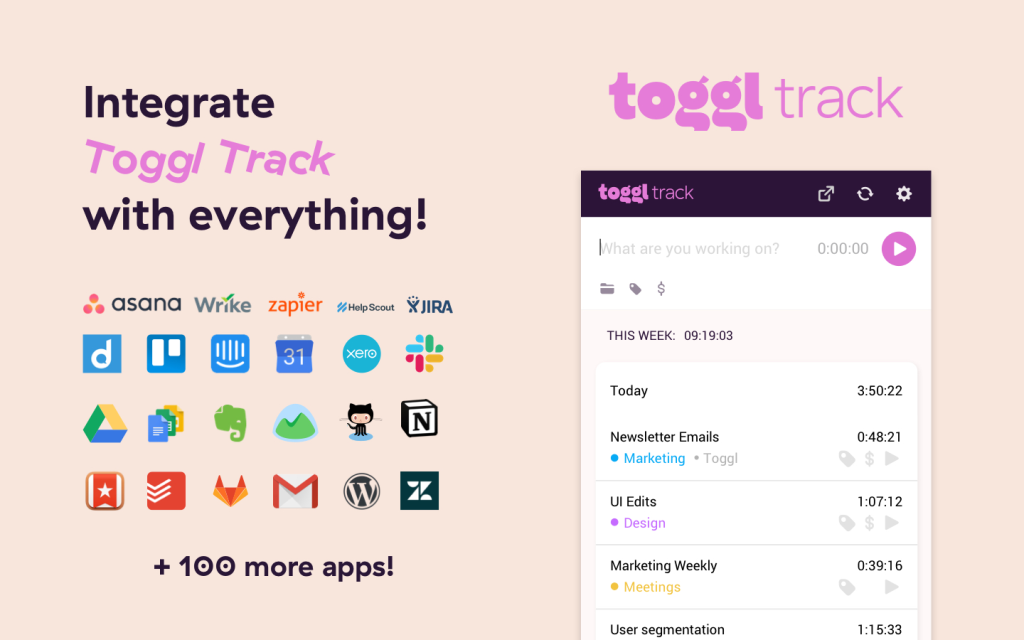
The browser extension is what sets Toggl apart for day-to-day use.
It integrates with 100+ tools including Asana, Notion, Trello, GitHub, Jira, and Google Calendar. You can start a timer without leaving the app you’re already in.
That removes the biggest friction point with any time tracker: remembering to switch tabs and log your time.
Toggl Track Pricing
- Free: Up to 5 users. Unlimited time tracking, unlimited projects, basic reporting, and all integrations. No billable rates.
- Starter: $9/user/month (annual). Adds billable rates, project budgets, time estimates, time rounding, and email reports.
- Premium: $18/user/month (annual). Adds Profit and Loss reports, project forecasting, timesheet approvals, and priority support.
For solo freelancers who track their own hours and invoice through a separate tool, the free plan works well.
Once you need to track billable rates or client budgets, Starter at $9/month is the entry point.
What Is Clockify?
Clockify started with one big advantage: everything was free.
Unlimited users, unlimited projects, unlimited time entries.
That model shifted in April 2026.
Clockify updated its free plan to cap at 5 users. It’s still generous for most freelancers, but the era of truly unlimited free seats is over.
What hasn’t changed is the feature volume.
Clockify packs in more raw functionality than Toggl at lower price points. GPS tracking, kiosk mode, screenshots, scheduling, invoicing — it’s all there.
The trade-off is that the interface feels more like a team management tool than a freelancer’s daily tracker.
The free plan still covers the basics well.
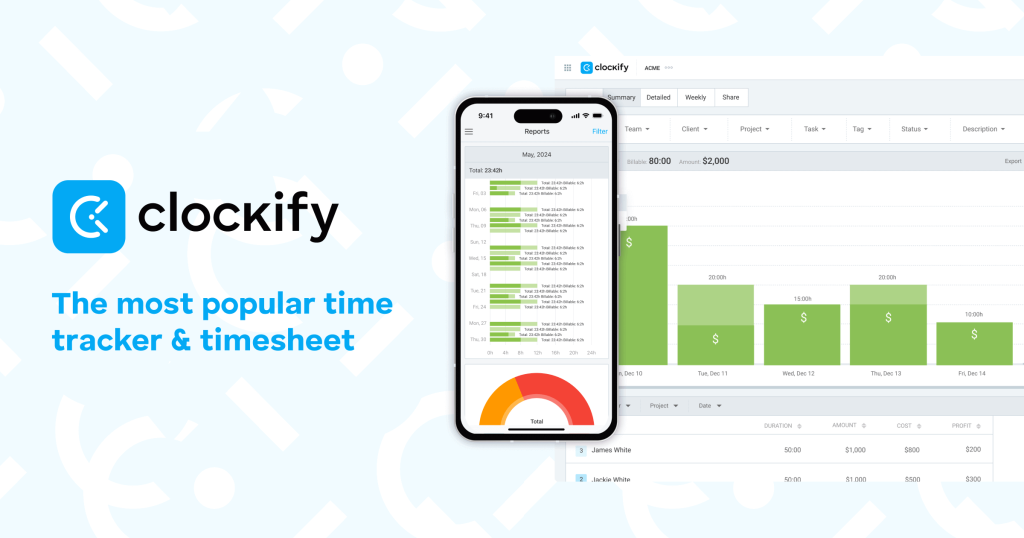
Timer, manual entry, projects, clients, basic reports, and CSV exports are all available at no cost.
That’s enough for a freelancer who just needs to log hours and pull a spreadsheet.
Clockify Pricing
- Free: Up to 5 users. Unlimited projects, time tracking, and basic reporting.
- Basic: $3.99/user/month (annual). Adds bulk editing, required fields, and kiosk mode.
- Standard: $5.49/user/month (annual). Adds billable rates, invoicing, timesheet approvals, QuickBooks integration, and scheduling.
- Pro: $7.99/user/month (annual). Adds GPS tracking, expense tracking, screenshots, and advanced reporting.
- Enterprise: $14.99/user/month (annual). Adds SSO, audit logs, and enterprise controls.
For freelancers who want invoicing built into their time tracker, Clockify Standard pricing at $5.49/month beats Toggl on price.
For those who just need basic tracking, the free plan handles it.
Head-to-Head: What Matters Most for Freelancers
Ease of Use
Toggl wins here.
It has a cleaner interface. The timer starts in one click. And the browser extension works smoothly across every app you already use.
Clockify does the job, but it’s denser.
There are more menu options, more settings, and more things to configure before it feels dialed in.
If you want to open the app and start working immediately, Toggl removes more friction.
Free Plan Value
Both tools now cap their free plans at 5 users. For a solo freelancer, that’s not an issue.
The difference is depth.
Toggl’s free plan includes a Pomodoro timer, idle detection, and all integrations.
Clockify’s free plan covers more reporting options and CSV export at no cost. Clockify also keeps basic reports and data exports on the free tier.
Neither has billable rate tracking on the free plan.
For that, you’re paying either $9/month (Toggl Starter) or $5.49/month (Clockify Standard).
Reporting
Toggl wins on reporting quality.
The 2025 upgrade added visual, polished report types that are genuinely useful for presenting results to clients.
Revenue vs. Hours and Profit and Loss reports are things most freelancers won’t need daily but will appreciate when pricing projects or reviewing a busy month.
Clockify’s reports cover the basics.
Summary, detailed, and weekly views are solid. Labor cost tracking is available on paid plans. But the visual quality and depth don’t match what Toggl delivers.
If client-facing reporting matters to you, Toggl is the better tool.
Invoicing
Clockify wins this one clearly.
Built-in invoicing is available from the Standard plan at $5.49/month.
You log your hours, generate an invoice from your tracked time, and send it without leaving Clockify.
Toggl has no invoicing feature.
You export a report and process billing through other notable invoicing apps like FreshBooks, QuickBooks, Wave, or Xero separately.
That’s an extra step and potentially an extra subscription.
If you want time tracking and invoicing in one place without paying for separate tools, Clockify Standard is the more efficient path.
Pricing for Freelancers
For freelancers who need billable rate tracking:
- Toggl Starter: $9/user/month
- Clockify Standard: $5.49/user/month
Clockify is notably cheaper for the same core feature. If budget is tight, that gap matters.
For freelancers using the free plan only, both tools work.
Toggl has a better interface. Clockify has slightly more depth in its free feature set after the 2026 changes.
Privacy and Monitoring
This is where the tools diverge sharply.
Toggl has no employee monitoring. No GPS, no screenshots, no activity tracking.
It’s built on trust. That’s the right call for most freelancers and independent professionals.
Clockify offers GPS tracking and screenshots on the Pro plan.
For a freelancer working alone, that’s irrelevant. But if you bring on contractors or work within a team that uses monitoring, Clockify covers it.
Integrations
Toggl’s browser extension integrates directly with 100+ apps.
You can start a Toggl timer inside some of the popular project management tools like Asana, Trello, Jira, GitHub, or Notion without switching to the Toggl app. That’s a genuine workflow advantage.
Clockify integrates with similar tools but the experience isn’t as seamless. Many integrations require configuration on paid plans.
Which One Should You Use?
Here’s the honest answer:
Use Toggl Track if:
- You want the cleanest, fastest time tracking experience
- Client-facing reporting matters to you
- You already use a separate invoicing tool like FreshBooks or Wave
- You value privacy and don’t want any employee monitoring baked in
- You work in tools like Notion, Asana, or GitHub and want one-click timers inside them
Use Clockify if:
- Budget is your main concern and you want the cheapest paid plan
- You want invoicing built into your time tracker without paying for two tools
- You bring on contractors or small teams who need monitoring features
- You prefer more features at a lower price, even if the interface is denser
Stay on the free plan if:
- You’re a solo freelancer just starting out
- You don’t yet need billable rate tracking
- You want to test the workflow before committing to a paid tier
Both tools offer solid free plans. Start there. You’ll know within a week which interface suits your habits.
Key Takeaways
- Toggl Track has a better interface, stronger reporting, and smoother integrations via its browser extension. It costs more on paid plans ($9/month vs. $5.49/month).
- Clockify is cheaper, has built-in invoicing at the Standard tier, and packs in more features per dollar. The interface is denser and takes more time to configure.
- Neither tool has billable rate tracking on the free plan. You’ll need a paid tier on both for client billing workflows.
- Clockify updated its free plan in April 2026 to cap at 5 users, matching Toggl’s limit.
- For reporting and UX, Toggl wins. For price and invoicing, Clockify wins.
- Most freelancers working solo can start on either free plan and upgrade only when they need billable rate tracking or invoicing.
FAQs
Is Toggl Track or Clockify better for freelancers who invoice clients?
Clockify wins for invoicing. Its Standard plan at $5.49/month includes built-in invoicing where you can generate and send bills directly from your tracked time. Toggl has no invoicing feature. You export reports and handle billing through a separate tool like FreshBooks or Wave.
Does Clockify’s free plan still work in 2026?
Yes, but it changed. Clockify updated its free plan in April 2026 to cap at 5 users, removing the previously unlimited seat count. For a solo freelancer, 5 users is more than enough. Basic time tracking, project tracking, and CSV export are still available at no cost. Billable rates and invoicing require the paid Standard plan.
Can I track billable hours without paying for Toggl or Clockify?
Not properly. Both tools reserve billable rate tracking for paid plans. Toggl requires the Starter plan at $9/month. Clockify requires the Standard plan at $5.49/month. You can track raw time for free on both platforms, but you won’t be able to assign hourly rates or pull accurate billable reports without upgrading.
Which tool has better integrations for freelancers?
Toggl Track. Its browser extension connects directly to 100+ apps including Asana, Notion, Trello, Jira, GitHub, and Google Calendar. You can start a timer inside any of those tools without opening Toggl separately. Clockify integrates with similar apps, but the in-app timer experience isn’t as seamless for daily use.