
Running a small business means juggling a dozen tasks at once. Automation is supposed to take that weight off your shoulders.
Zapier has been the default for automation tool for years. It’s reliable, beginner-friendly, and connects to almost everything.
Make (formerly Integromat) brings a visual, logic-heavy approach that gives you more control for less money.
So what’s the actual difference? Which one should a small business owner actually pay for?
Today, I’m going to break down Make vs Zapier for small business. I’ll cover pricing, learning curves, features, and exactly when to use each platform.
Core Philosophy & How They Work
Zapier: The Linear Approach
Zapier builds automations using a step-by-step trigger and action model.
You pick an app, set a trigger, and then add sequential actions. The platform calls these “Zaps.”
It’s designed for simplicity. You don’t need to map out data flows or understand API responses. You just connect the dots and let it run.
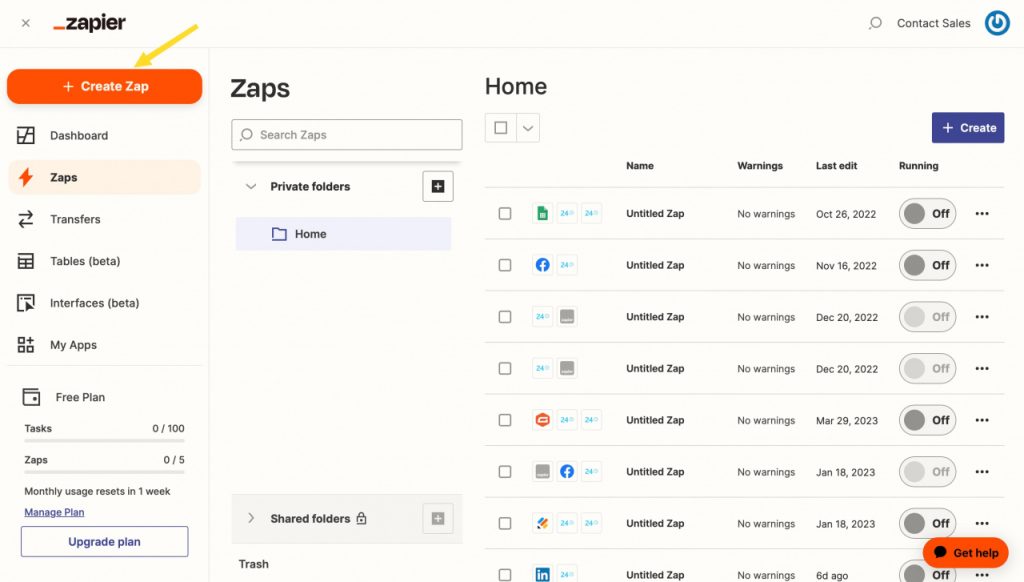
This linear structure works perfectly for straightforward tasks. Sending a Slack message when a new Shopify order comes in is a five-minute setup.
But it starts to feel rigid when you need branching logic or complex data manipulation.
Make: The Visual Builder
Make handles automation through a drag-and-drop visual canvas.
You build “Scenarios” by connecting modules that pass data between them like a flowchart.
It looks more like a whiteboard than a settings menu.
This gives you complete control over how data moves. You can route information, split workflows, run loops, and handle errors without hitting a paywall.
The visual approach requires a bit of upfront thinking. You need to map out where your data goes before you build it.
Once you get the hang of it, it becomes incredibly intuitive.
Pricing & Cost for Small Businesses
Zapier Pricing Structure
Zapier’s pricing is tied to task volume.
The free tier gives you 100 single-step Zaps per month. That’s barely enough to test things out.
The Starter plan jumps to $24.99/month for 2,000 tasks. The Professional plan at $69.99/month unlocks multi-step Zaps and 10,000 tasks.
It adds up fast. If you run five automations that each trigger 1,000 times a month, you’ll hit your limit before you know it.
Zapier charges per action step. A 5-step automation consumes 5 tasks per run.
Make Pricing Structure
Make operates on an operation-based model.
The free tier is surprisingly generous. You get 1,000 operations per month with access to most features.
The Core plan starts at $9/month for 10,000 operations. The Teams plan at $29/month covers 12,000 operations with collaboration features.
The difference lies in how operations count. Make treats a scenario run as a single operation until data branches out.
Complex workflows rarely cost as much as you’d expect. For small businesses running high-volume tasks, Make scales significantly cheaper.
Head-to-Head Cost Comparison
| Feature | Zapier | Make |
| Free Tier Limit | 100 tasks/month | 1,000 ops/month |
| Entry Paid Plan | $24.99/month | $9/month |
| Multi-step Pricing | Counts as multiple tasks | Counts as single operation (usually) |
| Error Handling | Basic (requires paid) | Advanced (included in core) |
| Best For | Low-volume, simple flows | High-volume, complex workflows |
Ease of Use & Learning Curve
Zapier: Plug and Play
You can build your first Zap in under ten minutes.
The interface walks you through every selection. Dropdowns, clear labels, and pre-built templates do the heavy lifting.
If you’ve never written a line of code or managed a database, Zapier will feel familiar immediately.
The trade-off is flexibility. You accept the platform’s limits in exchange for speed.
Make: Steeper Start, Higher Ceiling
Make requires you to understand data structures.
You’ll see JSON arrays, iterators, and routers early on. The visual editor is powerful, but it demands a bit of logical planning.
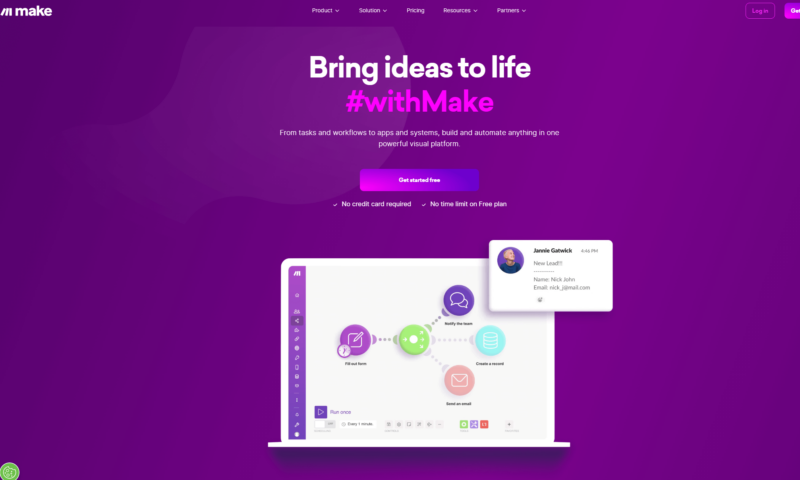
It takes a few hours to build your first complex scenario. Once you understand how modules pass data, the learning curve flattens out completely.
Small business owners with a technical bent or a willingness to watch a few tutorials will adapt quickly.
Complete beginners might feel overwhelmed at first.
Features & Automation Capabilities
App Integrations
Zapier connects to over 7,000 apps.
If a tool exists, Zapier likely has an integration for it. Niche SaaS platforms, local business software, and legacy tools all have native connections.
Make offers around 1,600 native apps.
The number is smaller, but the coverage is deep. Where Make lacks a native app, it excels at HTTP requests and custom API connections. You can connect almost anything if you know the endpoint.
Routing and Data Manipulation
Zapier handles routing through filters and path rules. It works well for basic if/then scenarios.
Make treats routing as a core feature.
Routers let you split a single data stream into multiple parallel paths. Iterators and aggregators handle arrays and lists without breaking a sweat.
Error handling is another major divider.
Make lets you build custom error routes so a failed webhook doesn’t crash your entire automation. Zapier requires higher-tier plans for reliable error management.
AI and Advanced Tools
Both platforms now offer AI features.
Zapier’s Central AI and interface builder let non-technical users create simple apps and workflows with natural language prompts.
Make’s AI assistants help with module configuration and data mapping. The platform also offers robust JSON and date formatting tools that keep your data clean.
For small businesses relying heavily on AI chatbots or content generation, both platforms deliver solid results. Make gives you more control over prompt variables and response formatting.
So if you’re looking for AI automation tools for running a one-person businesses, you can try out any one of the both.
When to Choose Zapier
You should pick Zapier if your business needs straightforward, linear automations.
It’s the right choice when you want results today without spending hours learning a new interface.
Choose Zapier if:
- You have zero technical background
- You need to connect niche or legacy software
- Your automations trigger fewer than 2,000 times per month
- You value pre-built templates over custom logic
Zapier removes friction. You trade advanced control for immediate productivity. That’s a fair deal for many small teams.
However, Zapier can be costly for some solopreneurs. So there are better Zapier alternatives for solopreneurs out there.
When to Choose Make
Make shines when your workflows branch, loop, or handle large data volumes.
It’s the better pick for small businesses that run repetitive, high-volume processes on a tight budget.
Choose Make if:
- You’re comfortable mapping out data flows visually
- Your automations trigger thousands of times per month
- You need complex routing, loops, or custom API calls
- You want predictable pricing that won’t spike as you scale
Make rewards patience. You’ll spend more time upfront building scenarios, but you’ll save money and gain precision long-term.
FAQs
Is Make better than Zapier for beginners?
No. Zapier’s linear interface and guided setup make it the clear winner for beginners. Make’s visual builder requires understanding how data passes between modules.
Can I move from Zapier to Make later?
Yes. You can export your logic and rebuild it in Make’s visual editor. The transition takes time, but the data structure remains similar. Start simple on Make and scale your scenarios gradually.
Which platform handles errors better?
Make wins on error handling by default. You can route failed operations to a separate path, log them, and trigger alerts. Zapier’s error management is limited on lower tiers.
Do small businesses save money with Make?
Generally, yes. Make’s operation counting model is more forgiving for multi-step workflows. If you run automations that trigger daily or hourly, Make will likely cut your bill by 30% to 50%.
The Bottom Line
Automation tools don’t need to be complicated to be effective.
The right choice depends entirely on your workflow complexity, technical comfort, and budget.
Zapier is the fastest way to get started. It’s reliable, well-documented, and connects to everything. Use it if you want quick wins without a steep learning curve.
Make is the smarter long-term play for scaling operations. It gives you visual control, advanced routing, and pricing that actually makes sense for growing businesses.
Start with your most repetitive task. Map out the steps. Pick the platform that matches your comfort level.
Both will save you hours. The key is picking the one that fits how your business actually works.
Hope this clears up the Make vs Zapier debate for your small business.