
Picking a payment processor feels small until you’re staring at your first invoice. Then it’s real money, real fees, and real decisions.
I’ve run payments through both Stripe and PayPal for client work. Two of the best payment processors for solo-businesses.
But neither one is “better” in every case. They’re built for different jobs, and your business model decides which one wins.
This guide breaks down fees, invoicing, payouts, and international support. By the end, you’ll know exactly which platform fits your workflow, not just which one has better marketing.
Table of Contents
Stripe vs PayPal at a Glance
| Feature | Stripe | PayPal |
| Standard US fee | 2.9% + $0.30 | 2.99%–3.49% + $0.49 |
| Monthly fees | None | None (legacy plans optional at $19.99/mo) |
| Setup time | Longer, more technical | Minutes, no code needed |
| Invoicing | Add-on, +0.4–0.5% per paid invoice | Built-in, standard rate applies |
| Recurring billing | Fully automated | Manual approval on basic plan |
| Currencies supported | 135+ | 25 for holding balances |
| Cross-border fee | ~1% + 1–2% conversion | ~1.5% + 3–4% conversion markup |
| Chargeback fee | $15 | $20 |
| Brand recognition | Lower for direct buyers | High, 430M+ active accounts |
| Best for | Subscriptions, custom checkout, scaling | Fast setup, one-off payments, client trust |
What Makes Stripe Different
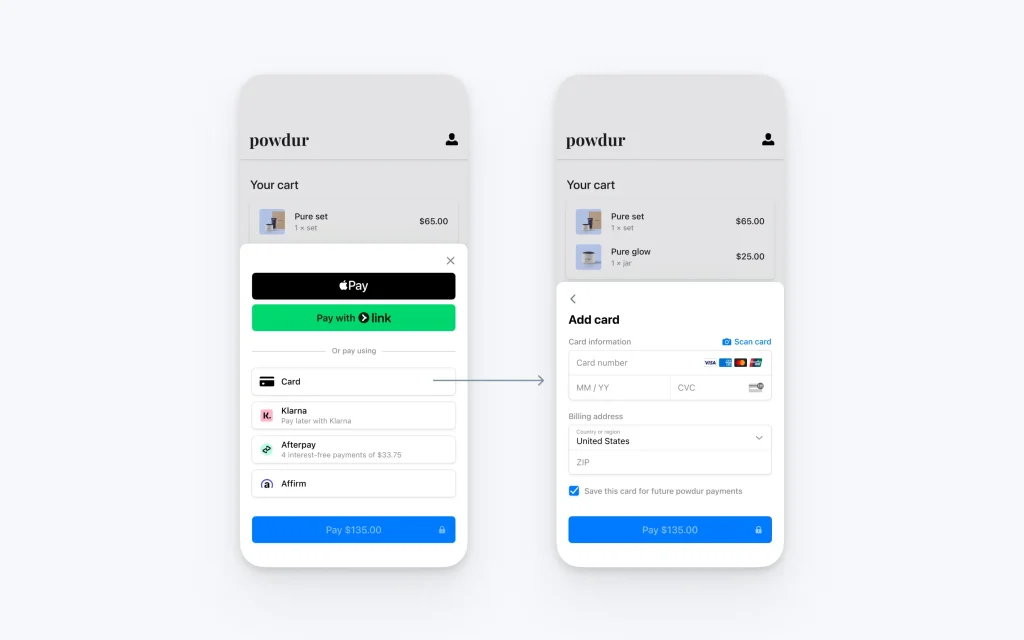
Stripe is built for people who want control over how money moves through their business. It’s an API-first platform, which means it was designed for developers first and everyone else second.
Stripe’s Fees and Pricing
Stripe charges a flat 2.9% plus $0.30 on standard online card transactions in the US. There’s no monthly fee, and the rate stays consistent whether you’re selling a $10 product or a $10,000 package.
The math favors Stripe as your ticket size grows. A $0.19 gap on the fixed fee sounds small, but it compounds fast once you’re processing hundreds of transactions a month.
Subscriptions and Recurring Billing
This is where Stripe pulls ahead for solopreneurs running memberships, coaching programs, or SaaS products. Stripe Billing handles trials, upgrades, downgrades, and proration automatically.
You set the rules once. After that, the system runs without you touching it.
Developer Tools and Customization
Stripe’s documentation is widely considered the gold standard in the payments industry. Every endpoint comes with copy-paste examples and a test mode that mirrors real transactions.
If you’re comfortable using tools like Zapier or a website builder with Stripe integration, you don’t need to write code yourself. But you do need patience during setup.
What Makes PayPal Different
PayPal was built for trust and speed, not customization. It’s the checkout button people already recognize, and that recognition matters more than you’d think.
PayPal’s Fees and Pricing
PayPal’s standard rate runs between 2.99% and 3.49% plus $0.49 per transaction, depending on the checkout method. That’s a wider, less predictable range than Stripe’s flat fee.
Basic subscription billing is available at $0 per month, but it comes at the higher 3.49% rate. Legacy recurring plans with more features cost $19.99 a month on top of transaction fees.
Setup and Ease of Use
You can create a PayPal business account and start sending invoices within minutes. No developer, no code, no waiting on integration docs.
For solopreneurs who just need to bill a client today, this matters more than any fee difference.
Brand Trust and Client Familiarity
PayPal has more than 430 million active accounts worldwide. When a client sees that checkout button, they don’t need to enter card details again.
That familiarity can lift completed purchases, with some estimates putting the increase as high as 28% compared to a standard card form. For service-based solopreneurs billing individual clients, trust often closes the deal faster than a lower fee ever could.
Where Stripe Wins for Solopreneurs
- Recurring revenue businesses. Memberships, coaching retainers, and SaaS products run smoother with automated billing logic.
- Branded checkout experiences. Clients complete payment without leaving your website, which keeps your brand front and center.
- International sales at scale. Support for 135+ currencies and lower cross-border markups add up over time.
- Businesses planning to scale. Tools like Stripe Connect and Stripe Atlas grow with you if you eventually add contractors or split payments.
Where PayPal Wins for Solopreneurs
- Speed to first payment. You can be invoicing a client the same day you sign up.
- Client-side trust. Many freelance and coaching clients already have PayPal accounts and prefer using them.
- Simple one-off transactions. Project-based work without recurring billing doesn’t need Stripe’s complexity.
- Non-technical founders. No API knowledge required to get a working checkout.
International Payments and Currency Fees
If you work with clients outside your home country, this section matters more than any other on this page.
Stripe adds roughly a 1% cross-border fee plus a 1–2% currency conversion charge. PayPal adds around 1.5% cross-border, but its currency conversion markup runs 3–4% above the mid-market rate.
On a $1,000 international payment, that gap becomes real money. Solopreneurs billing overseas clients regularly should run the numbers before picking a default platform.
Micropayments, Chargebacks, and Fraud Protection
Small-ticket sales and disputes are where the “headline rate” stops telling the full story. Both platforms treat these cases differently, and solopreneurs selling low-cost digital products should pay attention.
Micropayment Pricing
Neither platform’s standard rate works well for sales under $10. Stripe applies its regular 2.9% + $0.30 rate by default, though a micropayment tier exists at roughly 5% + $0.05 for qualifying accounts. PayPal offers a similar micropayment rate near 4.9% + $0.09.
If you sell low-cost digital downloads or templates, run the math on both tiers before choosing. The percentage-heavy structure eats into thin margins on small sales either way.
Chargeback and Dispute Fees
Stripe charges $15 per dispute regardless of outcome. PayPal charges around $20 per dispute. Neither platform refunds your original processing fee when a customer gets a refund.
PayPal’s stronger buyer protection program builds consumer trust, but it also means more disputes tend to get filed against PayPal merchants. That’s a tradeoff worth knowing before you lean on PayPal’s brand trust as your main selling point.
Fraud Protection
Stripe includes machine-learning fraud detection through Radar at no extra cost on standard accounts. PayPal relies on its buyer and seller protection programs rather than a dedicated fraud-scoring tool for merchants.
For a solopreneur without a dedicated fraud team, Stripe’s automated screening adds a layer of protection you don’t have to configure yourself.
Payout Speed and Fund Holds
Getting your money out is where the platforms diverge most sharply. PayPal can place a 21-day hold on funds for new sellers, and account limitations can freeze money for 21 to 180 days in some cases.
Stripe’s payout process tends to be more predictable, especially once your account history is established. For a solopreneur depending on cash flow to cover monthly expenses, this predictability matters as much as the fee percentage.
Which One Should You Choose?
Choose Stripe If…
You’re building recurring revenue, want a branded checkout, or plan to scale past manual invoicing. The setup investment pays off once your systems are running.
Choose PayPal If…
You need to start billing clients this week, your clients already trust PayPal, or your business is mostly one-off projects. Simplicity beats optimization here.
Or Use Both
Plenty of solopreneurs run PayPal for quick client payments and Stripe for recurring or automated billing. This covers more client preferences without overcomplicating your systems.
Start with whichever removes friction today. Switch or add the other platform once your business model becomes clearer.
Key Takeaways
- Stripe charges a flat 2.9% + $0.30 with no monthly fee, while PayPal ranges from 2.99–3.49% + $0.49.
- Stripe automates recurring billing; PayPal’s basic plan requires manual approval on each cycle.
- PayPal setup takes minutes with no code; Stripe requires more time but offers deeper customization.
- International sellers should compare cross-border and currency conversion fees closely, since PayPal’s markup runs higher.
- PayPal can hold new seller funds for up to 21 days; Stripe’s payouts tend to be steadier.
- Many solopreneurs use both platforms strategically instead of picking just one.
Frequently Asked Questions
Q1. Is Stripe cheaper than PayPal for solopreneurs?
For standard US card transactions, yes. Stripe’s 2.9% + $0.30 beats PayPal’s 2.99–3.49% + $0.49 in nearly every scenario, especially at higher transaction volumes.
Q2. Which is better for freelancers who bill international clients?
Stripe generally costs less on cross-border sales due to lower conversion markups. PayPal remains useful if your clients are in countries where Stripe has limited support.
Q3. Can I use both Stripe and PayPal at the same time?
Yes. Many solopreneurs offer both at checkout, using PayPal for client trust and Stripe for automated recurring billing.
Q4. Does PayPal or Stripe hold my funds longer?
PayPal can hold new seller funds for up to 21 days, and account limitations can extend that further. Stripe’s payout schedule is generally more predictable once your account is established.