
Running a one-person business is not for the faint of heart.
You are writing the copy, chasing the clients, handling the finances, and somehow trying to market yourself at the same time.
Every hour you spend on admin is an hour you are not earning.
AI tools fix that problem.
But most guides push expensive subscriptions that solo operators do not need yet.
This article cuts to the essentials.
These are the best AI tools for solopreneurs on a budget, what each one actually does well, and the smartest way to build your stack without overspending.
Key Takeaways
- Most solopreneurs can run their entire operation on free AI tools at the start.
- A complete free stack includes ChatGPT, Canva, Notion, Zapier, Perplexity, and Calendly.
- The best budget paid stack costs under $40/month: ChatGPT Plus at $20 and Canva Pro at $15.
- ChatGPT is the starting point for most solopreneurs. It handles writing, research, and planning.
- Canva removes the need for a graphic designer for everyday visual content.
- Zapier automates the repetitive tasks that eat hours every week.
- Notion organizes your entire business in one free workspace.
- Perplexity speeds up research with cited, accurate answers.
- Calendly eliminates scheduling friction with a single shareable link.
- Shortwave automates your email tasks using AI.
- Do not build a large AI stack early. Start with two tools. Add a third only when you hit a real bottleneck.
- Your AI tools should cost less than 2% of monthly revenue.
Table of Contents
How Much Should a Solopreneur Spend on AI Tools?
Start at zero. Prove the value. Then upgrade.
There are many free AI tools for solopreneur businesses available out there. With set limitations.
Free tiers on tools like ChatGPT, Canva, and Zapier cover most needs for solopreneurs in the early stages. Once you hit a real bottleneck, one targeted paid upgrade pays for itself fast.
A smart rule: your AI tools should cost less than 2% of monthly revenue.
For most early-stage solo operators, that means staying under $40 to $50 per month total.
Do not add tools because they look useful.
Add them because you keep running into a specific problem that a tool solves.
The Best AI Tools for Solopreneurs on a Budget
1. ChatGPT – The Core of Every Solopreneur Stack
ChatGPT is where most solopreneurs should start. It’s one of the best AI writing tool a solopreneur can ask for.
The free tier gives you access to a highly capable model for writing, research, brainstorming, planning, and client communication.
Use it to draft emails, write proposals, research competitors, outline content, and think through business decisions.
The Plus plan at $20/month unlocks faster responses, better reasoning, image generation through DALL-E, and voice mode.
The jump from free to ChatGPT Plus is worth it for solopreneurs as soon as AI becomes a daily part of the workflow.
Best for: Writing, planning, research, and anything that involves language.
Free plan: Available. Functional for daily use.
Paid plan: $20/month for Plus.
Budget verdict: Start free. Upgrade when you hit daily usage limits.
2. Canva – AI Design Without Hiring a Designer
Most solopreneurs cannot afford a graphic designer. Canva solves that.
The free plan covers social media graphics, presentations, and basic marketing materials.
The AI features let you generate images, resize designs for any platform instantly, and create presentations from a text prompt.

Canva Pro at $15/month unlocks the brand kit, background remover, premium templates, and the full AI design suite.
For any solopreneur producing regular visual content, Pro pays for itself after the first week.
Best for: Social posts, pitch decks, email headers, and client presentations.
Free plan: Generous. Covers most basic design needs.
Paid plan: $15/month for Pro.
Budget verdict: Free is strong. Upgrade when brand consistency starts to matter.
3. Zapier – Automate the Repetitive Work
Repetitive tasks are the biggest time drain for solopreneurs.
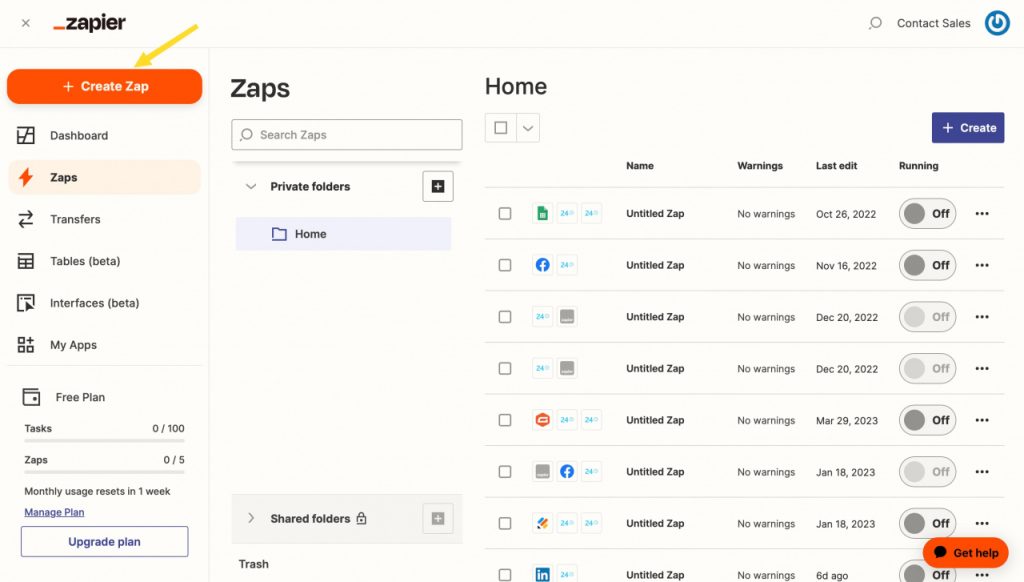
Zapier connects your apps and automates the handoffs between them. You can use Zapier’s free tier to get free limited automation as a freelancer.
A client fills out a form, Zapier creates a project in Notion, sends a welcome email, and adds the client to your spreadsheet.
You do not touch any of it.
The free plan includes 100 tasks per month and single-step automations.
That is enough to handle your most repeated manual triggers.
Build one or two solid automations first, then expand.
Make, n8n, Railway are some great substitute for Zapier that offers free tiers.
We’ve covered a great deal on how Make fares against Zapier for one person businesses. You can check that out!
Best for: Connecting tools and eliminating manual, repetitive tasks.
Free plan: 100 tasks/month. Good for basic automations.
Paid plan: $19.99/month for 750 tasks and multi-step workflows.
Budget verdict: Free is enough to start. Paid is worth it once you build out your systems.
4. Notion – Your Free Business Operating System
Notion is the tool that replaces five others.
The free plan gives you unlimited pages, basic databases, and workspace tools for organizing clients, projects, SOPs, and notes.
Build a client CRM, a content calendar, and a task manager all in one place.
One important caveat: full AI access now requires the Business plan at $20/month.
The free tier gives you a limited AI trial.

For pure organization without AI, the free plan is excellent.
For AI-powered summarization and drafting inside your workspace, budget for the Business plan.
Best for: Centralizing client info, projects, and business systems.
Free plan: Strong for organization without AI features.
Paid plan: $12/month (Plus) or $20/month (Business for full AI).
Budget verdict: Start free. Add AI access only if Notion is already your daily system.
5. Perplexity AI – Fast Research Without the Rabbit Holes
Solopreneurs spend too much time researching.
Perplexity is an AI search tool that answers questions with cited sources.
It surfaces accurate, up-to-date information faster than a traditional Google search and much faster than asking a general AI model to research something.
Use it for competitor research, market data, industry news, and fact-checking.
The free plan covers standard searches with no daily limits.
Best for: Research, fact-finding, and staying current in your niche.
Free plan: Unlimited standard searches. No credit card required.
Paid plan: $20/month for Pro with more advanced models.
Budget verdict: Free covers most research needs. Stay on the free plan.
6. Grammarly – Fix Your Writing Before It Goes Out
Every solopreneur sends proposals, emails, and content that represents their brand.
Grammarly catches grammar errors, improves clarity, and adjusts tone before anything goes out.
The free version handles spelling, punctuation, and basic grammar.
The paid plan adds tone detection, full-sentence rewrites, and plagiarism checking.
The free plan is genuinely useful. Most solopreneurs do not need to upgrade unless they are producing high-volume written content daily.
Best for: Polishing emails, proposals, and content before sending.
Free plan: Covers grammar and spelling. Solid for daily use.
Paid plan: $12/month (annual) for advanced suggestions.
Budget verdict: Free is enough for most solopreneurs.
7. Calendly – Stop Wasting Time on Scheduling
Scheduling back-and-forth emails is one of the easiest things to automate.
Calendly lets clients book time directly on your calendar.
You share a link. They pick a slot. Confirmations and reminders go out automatically.
The free plan includes one event type and unlimited bookings.
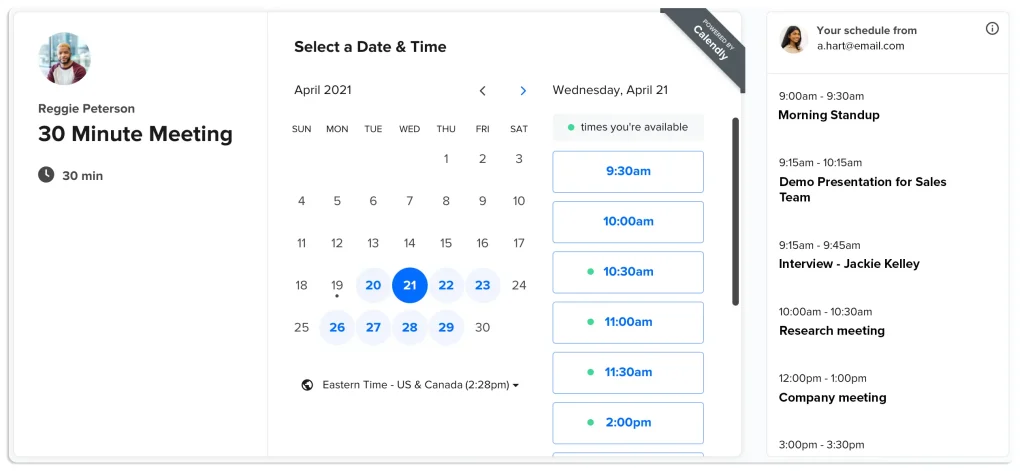
For most solopreneurs, a single event type (like a 30-minute intro call) covers the main use case. Connect it to Zapier and every new booking can trigger an entire onboarding sequence.
Best for: Client calls, discovery sessions, and check-ins.
Free plan: One event type, unlimited bookings.
Paid plan: $10/month for multiple event types and advanced workflows.
Budget verdict: Free handles most use cases. Paid is worth it once you are booking multiple types of calls regularly.
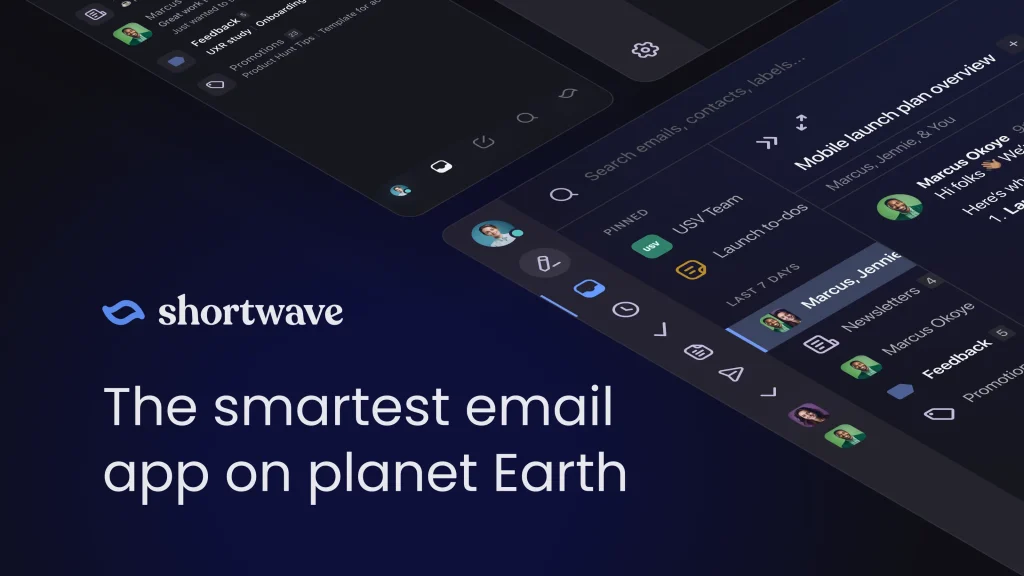
8. Shortwave – Best AI-Native Gmail Client
Shortwave is a great AI email assistant for solopreneurs looking to automate their email tasks. It replaces Gmail’s interface completely.
Two features stand out:
Ghostwriter learns your writing voice from emails you’ve already sent and drafts replies that sound like you.
Tasklet connects your inbox to Slack, Notion, Asana, and Google Drive using plain English commands.
Thread summaries actually help.
A 30-email thread condenses into one paragraph. You get the full story in under a minute.
Best for: Gmail users who want a smarter email client with real AI built in.
Pricing: Free plan available (personal Gmail only). Pro at $14/month. Business at $24/month.
Limitation: Gmail only. No Outlook or IMAP support.
The Lean Budget Stack (Two Options)
Completely Free Stack
- ChatGPT (free) – writing, planning, research
- Canva (free) – visual content
- Notion (free) – organization and systems
- Zapier (free, 100 tasks) – basic automations
- Perplexity (free) – research
- Calendly (free) – scheduling
Total cost: $0/month.
This stack covers content, design, research, task management, and scheduling. It is everything most early-stage solopreneurs need.
Budget Paid Stack (Under $40/Month)
- ChatGPT Plus – $20/month
- Canva Pro – $15/month
- Zapier (free tier, upgrade when needed)
- Perplexity (free)
- Calendly (free)
Total cost: $35/month.
This stack handles 90% of what a solopreneur needs to run and grow a one-person business.
How to Build Your Stack Without Wasting Money
Solopreneurs over-tool early. That is the most common mistake.
Here is the right approach:
Start with one tool. Pick the area that costs you the most time. If it is writing, start with ChatGPT. If it is design, start with Canva. Master it before adding anything else.
Stay on free tiers for 30 days. Find out where you actually hit the limits. Upgrade only when hitting limits costs you more time than the subscription costs in money.
Connect your tools. Two tools working together through Zapier are worth more than five tools working separately. Build the integrations early.
Review your stack every quarter. Cut tools you are not using. Upgrade tools that are becoming bottlenecks.
FAQs
Q: What is the single best AI tool for a solopreneur just starting out?
Start with ChatGPT. The free version handles writing, planning, research, and client communication well enough to replace several hours of manual work per week. Once you are using it daily and hitting limits, upgrade to Plus at $20/month. It is the most versatile starting point in the entire category.
Q: Can a solopreneur run their business on completely free AI tools?
Yes. A stack of ChatGPT (free), Canva (free), Notion (free), Zapier (free tier), Perplexity (free), and Calendly (free) covers writing, design, organization, automation, research, and scheduling. Free tiers are genuinely sufficient for solopreneurs earning under $5,000 per month. Upgrade specific tools when you consistently hit real limitations.
Q: How many AI tools does a solopreneur actually need?
Two to three tools handle most of the workload. Start with one AI assistant like ChatGPT and one automation or design tool. Most successful solo operators use a lean stack of two to three tools. The goal is not to collect AI tools. It is to save time and increase output. More tools create more complexity, not more results.
Q: When should a solopreneur upgrade from free to paid AI tools?
Upgrade when hitting a free tier limit costs you more time than the subscription would cost in money. The clearest signals: you are hitting daily usage caps on ChatGPT, you need Canva’s brand kit for consistent client work, or Zapier’s 100 tasks per month runs out before the end of the month. Upgrade one tool at a time, starting with the one that is slowing you down the most.