
If you’re running a solo business, invoicing can become annoying surprisingly quickly.
Some clients want recurring invoices. Some want PDFs. Others want bank transfer details included. Someone forgets to pay. A few wants their invoices formatted differently.
All of a suddenly, invoicing becomes admin.
And admin is dangerous for solopreneurs because admin expands very easily. Particularly when you’re the one doing everything yourself already
You don’t really have spare hours in the week for chasing invoice payments manually.
So the best invoicing app for solopreneurs isn’t necessarily the one with the most features.
It’s the one that removes friction.
Now, over the last few years, we’ve seen an explosion in business software for freelancers and solopreneurs. Every platform claims to be the all-in-one operating system for your business.
Most of them are bloated. Most solopreneurs don’t need half the functionality they’re paying for.
What you actually need is fairly simple.
You need to:
- Create invoices quickly
- Get paid quickly
- Track who has paid
- Send reminders automatically
- Keep things organised for tax time
That’s basically it.
So let’s look at the best options.
Best Invoicing App for Solopreneurs in 2026
| Feature | Wave | FreshBooks | Zoho Books | QuickBooks Solopreneur |
| Best For | Solopreneurs on a strict budget needing core accounting for free. | Service-based businesses & freelancers who bill by the hour. | Micro-businesses already using Zoho apps or needing a solid free tier. | Freelancers needing deep tax help & strong brand recognition. |
| Starting Price (USD) | $0 (Starter plan) / $19 (Pro plan). | $23/mo (Lite plan, limited to 5 clients). | $0 (Free plan) / $20/mo (Standard plan). | $20/mo (Lite or Solopreneur plan). |
| Free Plan Value | Excellent. Includes unlimited invoicing, expense tracking, and basic reports. Paid plan adds bank imports. | None. Only a 30-day free trial is available. | Good. Includes invoicing, mileage tracking, and tax filing but limited to 1,000 invoices/year. | Very Limited. Free version exists but is restricted to just 2 invoices per month. |
| Invoicing & Payments | Unlimited invoices. 2.9% + $0.60 transaction fee. Recurring billing requires Pro plan. | Unlimited invoices. 2.9% + $0.30 fee. Great for retainers, late reminders, and recurring billing. | Unlimited invoicing. Connects to Stripe, PayPal, Square. Strong automation rules. | Industry standard. 2.99% transaction fee. Offers “Progress Invoicing” (partial billing). |
| Time Tracking | Not available on any plan. | Built-in & excellent. Directly bills tracked hours to clients. | Available on Professional plan ($50/mo) and up. | Not available in the Solopreneur plan. |
| Ease of Use | Very High. Praised for a clean, intuitive UI ideal for non-accountants. | High. Known for a beginner-friendly interface. | Medium. Great UI but can be complex if you don’t use the Zoho ecosystem. | Medium. Feature-rich but has a steeper learning curve. |
| Key Limitations | No time tracking, limited reports, no inventory tracking. | Client limits on lower tiers. Limited reporting vs. competitors. $11/mo per extra user. | Free plan caps at 1k invoices. Paid plans limit users (e.g., Standard = 3 users). | Higher base cost for simple features. Lacks project management tools found in pricier tiers. |
Wave
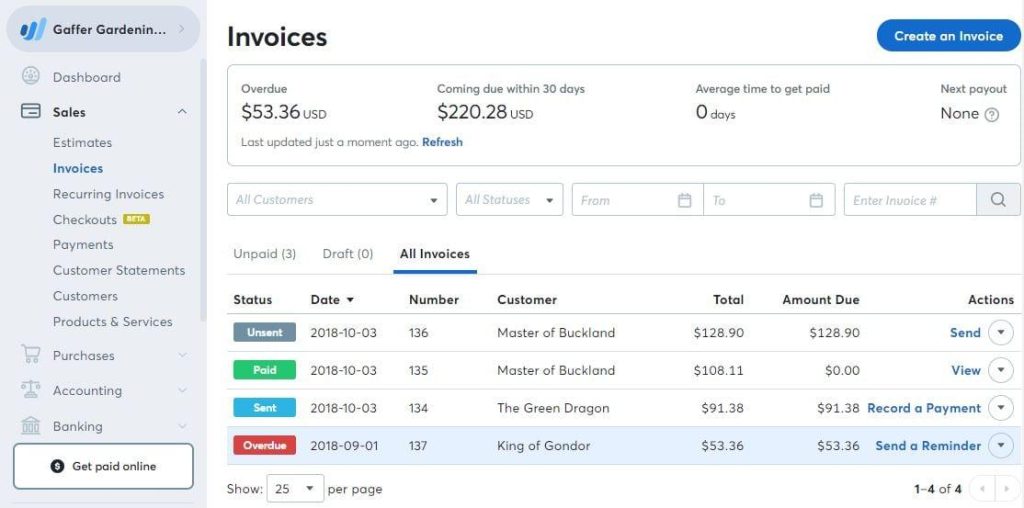
For most new solopreneurs, Wave is probably the easiest starting point.
The reason is simple. It’s free.
And not “free” in the annoying software company sense where everything important is locked behind upgrades. The core invoicing functionality is genuinely usable.
You can:
- Create unlimited invoices
- Add recurring billing
- Accept online payments
- Track invoice status
- Send reminders
The interface is also pretty clean, which matters more than people think. If software feels heavy, you avoid using it properly.
Now, Wave isn’t perfect.
The reporting isn’t amazing. The customization can feel slightly limited. And if your business becomes more operationally complex later on, you’ll probably outgrow it.
But for freelancers, consultants, creators, SEO bloggers, coaches, and service businesses, it’s very hard to complain considering the price point.
Particularly when the alternative is manually building invoices every week.
FreshBooks
FreshBooks is probably the best option if you want something that feels more professional immediately.
This is where you move if:
- You’re managing multiple clients
- You bill regularly
- You track time
- You want proposals and invoicing connected together
FreshBooks is very solopreneur-focused tool. That’s important because some accounting tools feel like they were built for finance departments rather than actual small businesses.
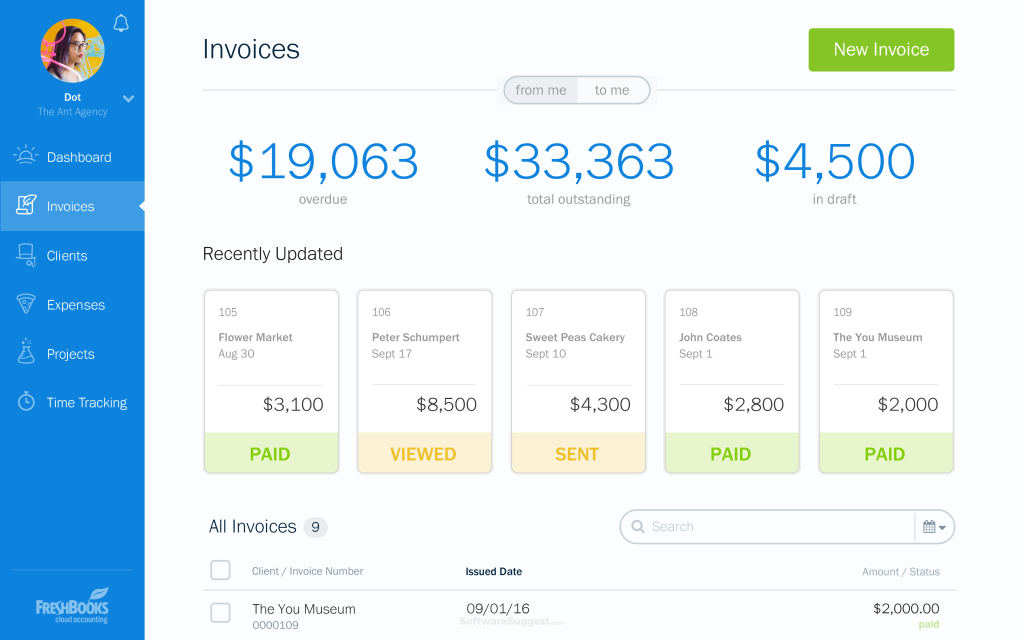
The automation inside FreshBooks is strong.
You can automate:
- Recurring invoices
- Payment reminders
- Expense tracking
- Time tracking
- Client billing
And the user experience is probably better than most traditional accounting software.
The downside is cost.
Once you start adding team members or scaling usage, the pricing climbs fairly quickly. So if you’re extremely early stage, it might feel slightly heavy relative to what you actually need.
But if invoicing is directly tied to your client delivery process, FreshBooks makes a lot of sense.
Zoho
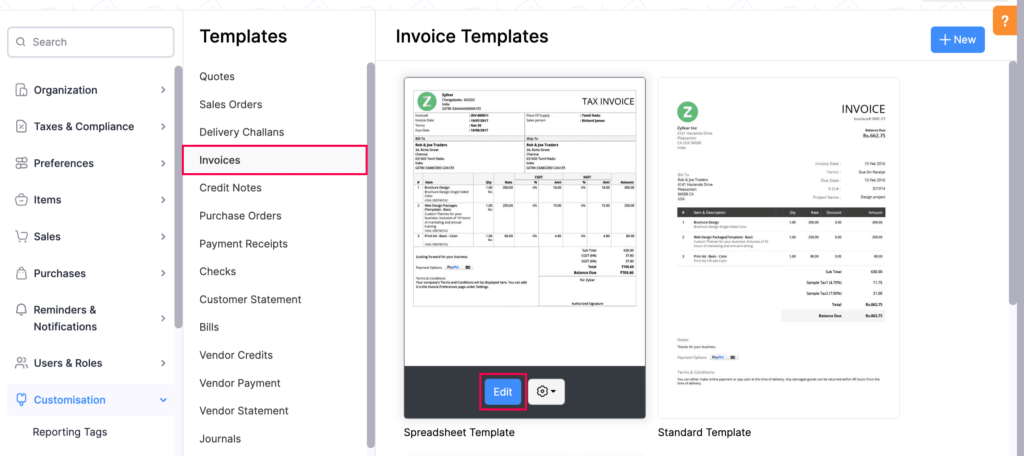
Zoho Invoice is interesting because it sits in a weird middle ground.
It’s more feature-rich than Wave, but often cheaper and simpler than larger accounting platforms.
And Zoho as an ecosystem is huge now.
So if later you want:
- CRM
- Email marketing
- Project management
- Analytics
- Bookkeeping
You can expand into the rest of their stack fairly easily. Zoho offers one of the best CRM for solo businesses.
For solopreneurs, that matters because operational fragmentation becomes a real problem over time. You end up with ten disconnected tools doing ten tiny jobs.
Zoho Invoice itself is strong for:
- Multi-currency invoicing
- Client portals
- Automated reminders
- Recurring invoices
- Payment integrations
The interface isn’t quite as polished as FreshBooks in my opinion, but it’s functional and reliable.
Which honestly is probably more important.
QuickBooks
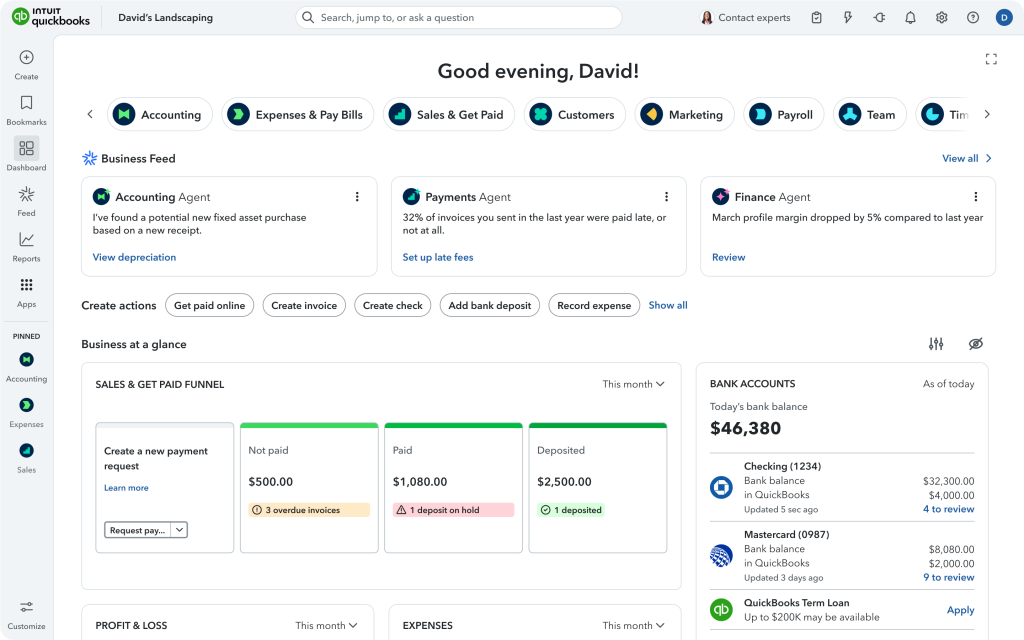
QuickBooks is probably the most established name on this list.
And if your business finances are becoming more serious, it can make sense.
The strength of QuickBooks isn’t really invoicing.
It’s accounting.
So if you:
- Need bookkeeping
- Need tax reporting
- Work with an accountant
- Need expense categorisation
- Need payroll later
Then QuickBooks becomes more compelling.
But I do think many solopreneurs adopt tools like QuickBooks too early.
They buy enterprise-level complexity before they actually need it.
And then what happens is the software starts creating work rather than removing it.
Which defeats the point.
So unless your finances are already becoming operationally complex, I’d probably start simpler.
So Which One Is Best?
Honestly, for most solopreneurs:
- Start with Wave if you’re looking to learn the ropes with simple invoices.
- Move to FreshBooks if client operations become more advanced
- Use Zoho if you want a broader business ecosystem for your solo business
- Use QuickBooks if accounting complexity becomes the priority
That’s probably the simplest way to think about it.
Because the real goal here isn’t finding the “perfect” invoicing app.
The real goal is reducing operational drag.
You can also try out either Dubsado or Honeybook for invoicing alternatives.
Every repetitive admin task steals time and attention from the work that actually grows the business.
And for solopreneurs, attention is usually the bottleneck long before revenue is.
FAQs
1. Can I really use Wave for free as a solopreneur, or are there hidden costs?
Yes, Wave’s core invoicing is genuinely free—unlimited invoices, recurring billing, expense tracking, and payment reminders cost you nothing. The only “hidden” cost is the credit card transaction fee (2.9% + $0.60) when clients pay online. There is no monthly subscription unless you choose the Pro plan ($19/mo) for bank account imports and receipt scanning. For most new solopreneurs sending a handful of invoices per month, the free plan is fully sufficient.
2. What happens when I outgrow Wave? How do I know it’s time to switch?
You’ve outgrown Wave when you notice one or more of these signs:
- You need to track billable hours (Wave has no time tracking)
- You want automated bank reconciliation without paying for Pro
- Your reporting needs become more detailed (e.g., profit & loss by project)
- You’re managing more than 10–15 active clients and need better client portals
At that point, the article recommends moving to FreshBooks (if time tracking and professionalism matter most) or QuickBooks (if tax and accounting complexity are becoming the priority).
3. I bill by the hour as a consultant. Which app should I choose?
FreshBooks is the clear winner for hourly billing. It has built-in time tracking that lets you log hours via mobile or desktop, then instantly convert tracked time into professional invoices. Neither Wave nor QuickBooks Solopreneur offer time tracking at all, and Zoho Books only includes it on the expensive $50/mo Professional plan. If your revenue depends on accurate hourly billing, start with FreshBooks despite its higher monthly cost.
4. Do I really need an invoicing app, or can I just use Excel and PayPal?
You can use spreadsheets and PayPal, but the article warns that this approach introduces operational drag—the silent killer of solopreneur productivity. Manual invoicing creates:
- Forgotten follow-ups (lost revenue)
- Time wasted copying client details
- No automatic late payment reminders
- Messy records at tax time
An invoicing app removes that friction automatically. For most solopreneurs, the free tier of Wave already outperforms any manual spreadsheet system with zero upfront cost. The only reason to stick with Excel is if you send fewer than 2–3 invoices per year.