
Bonsai and Dubsado both promise to lighten that load of any solopreneur with their CRM software.
They handle contracts, invoicing, and client communication in one place.
But they’re built with different priorities. One leans toward speed and simplicity. The other leans toward deep automation.
This guide breaks down both tools so you can pick the right one for your workflow, not just your budget.
Table of Contents
Bonsai vs Dubsado: Quick Comparison
| Feature | Bonsai | Dubsado |
| Starting price | Around $15–19/month (Basic plan) | Around $20/month (Starter plan) |
| Free plan | No, 7-day free trial only | Yes, free for up to 3 clients |
| Best for | Freelancers who want fast setup | Service pros who want deep automation |
| Learning curve | Low to moderate | Moderate to steep |
| Project management | Kanban, Gantt, task tracking | Basic Kanban-style overview only |
| Workflow automation | Present, simpler rule sets | Advanced, highly customizable |
| Client portal | Yes, on all paid plans | Yes, on all paid plans |
| Team scaling | Per-user pricing, gets pricey fast | Tiered add-on pricing for extra users |
| Mobile experience | Functional mobile app | Limited, mostly browser-based |
| Accounting integrations | QuickBooks, Xero (higher tiers) | QuickBooks, Xero (Premier plan) |
Pricing and features change often. Always confirm current numbers on hellobonsai.com and dubsado.com before you commit.
What Bonsai Does Well
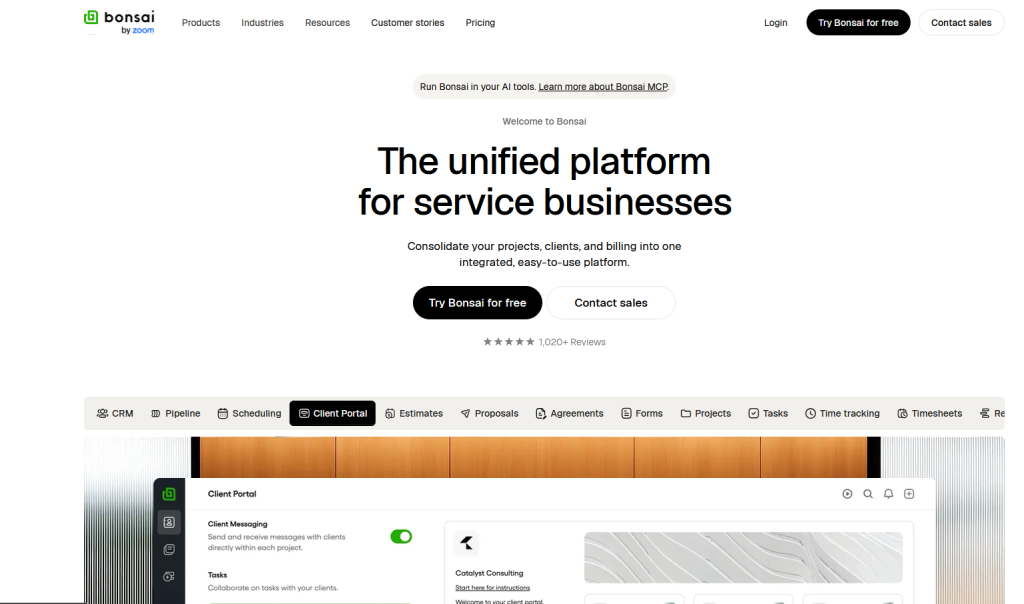
Bonsai started as an invoicing tool for freelancers. It has grown into a full business management platform.
It’s still a great invoicing tool for solopreneurs. But Bonsai can do much more. Specially if you’re looking for a top contract tool for your solo business.
Project and Task Management
Bonsai includes a Kanban board, task lists, and time tracking built around actual projects. If you juggle multiple client engagements, this structure keeps everything visible.
Higher tiers add Gantt charts and resource planning. That’s useful once you bring on subcontractors or a small team.
Fast Onboarding
Reviewers consistently mention Bonsai’s clean interface and short learning curve. You can send a proposal, contract, and invoice within your first hour on the platform.
There’s no need to build complex automation before the tool becomes useful. It works out of the box.
Financial Reporting
Bonsai’s dashboard shows profitability, utilization, and cash flow at a glance. For solopreneurs who hate spreadsheets, this saves real time.
One G2 reviewer noted that pulling a report went from an hour of manual work down to five minutes.
Where Bonsai Falls Short
Bonsai charges per user, so costs climb fast if you add team members. There’s also no permanent free plan, only a 7-day trial that requires a card upfront.
Some users report confusing currency display on client-facing proposals, especially outside the US.
What Dubsado Does Well
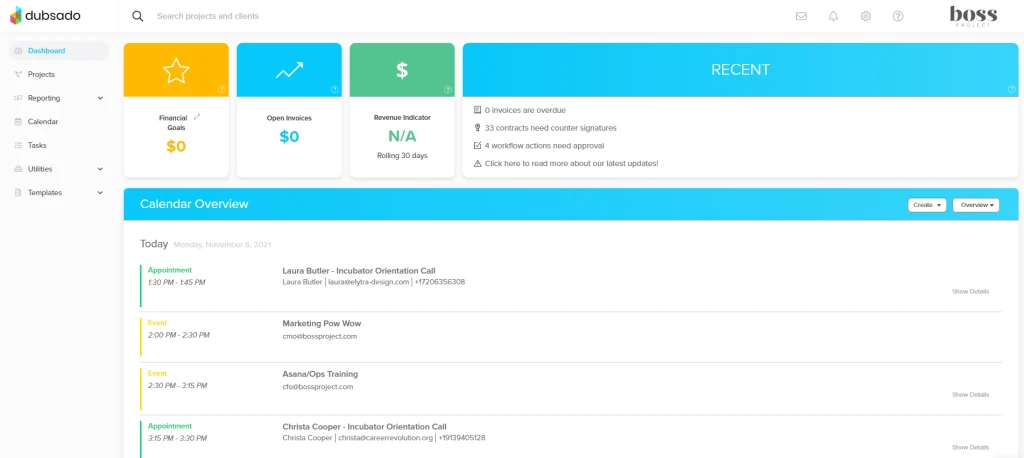
Dubsado was built for service providers who wanted total control over their client journey, from first inquiry to final payment.
Deep Workflow Automation
This is Dubsado’s signature strength. You can build multi-step workflows that fire based on client actions.
A new lead fills out a form, and Dubsado can automatically send a welcome email, then a proposal, then a contract. No manual follow-up required.
Branding and Client Experience
Dubsado lets you customize forms, portals, and emails down to fonts and colors. Clients experience a fully branded journey, not a generic template.
Several reviewers say this polish helped them win more bookings. A cohesive brand experience builds trust before the first call.
A Genuinely Free Starting Point
Dubsado offers a free plan for up to three clients. That’s rare in this category and useful for testing before you commit financially.
Where Dubsado Falls Short
The learning curve is real. Building your first automated workflow can take hours, and some users hire consultants just for setup.
Dubsado’s project management stays basic. There’s no Gantt chart, no task dependencies, and no subtask hierarchy. If you manage multi-phase deliverables, you’ll likely need a second tool.
Reporting is also thinner than Bonsai’s. Users describe the analytics as functional but not detailed.
Bonsai vs Dubsado: Head-to-Head by Use Case
For Solo Freelancers Who Want Speed
Bonsai wins here. The setup is faster, and you’ll be billing clients within the first session.
If your business model is simple, invoice, get paid, repeat, Bonsai’s low learning curve pays off immediately.
For Service Providers Who Rely on Automation
Dubsado wins here. If your client volume is high and your process repeats often, automated workflows save hours every week.
Coaches, consultants, and photographers with a defined client journey benefit most from this structure.
For Growing Solo Businesses Adding Team Members
Neither tool scales cheaply. Both charge extra per user, and costs rise quickly past two or three people.
Compare your expected headcount against each pricing table before choosing. A tool that’s affordable solo can get expensive fast with a team.
For Budget-Conscious Freelancers Just Starting Out
Dubsado’s free three-client plan gives you a genuine test drive with no cost. Bonsai’s trial is shorter and requires payment details upfront.
If cash flow is tight in your first few months, this difference matters.
Key Takeaways
- Bonsai offers faster onboarding, stronger project management, and better financial reporting.
- Dubsado offers deeper automation and more customizable client branding, with a real free tier.
- Both charge per user, so team growth increases costs on either platform.
- Neither tool replaces dedicated project management software for complex, multi-phase work.
- Test both with their free options before committing to a paid annual plan.
We’ve also extensively compared Dubsado with Honeybooks head-to-head. You can check that out!
Frequently Asked Questions
Q1. Is Bonsai cheaper than Dubsado?
Entry-level pricing is close between the two tools. Bonsai’s Basic plan and Dubsado’s Starter plan both fall in a similar range. Dubsado’s free three-client plan gives it an edge for testing before you pay anything.
Q2. Which tool is easier to learn, Bonsai or Dubsado?
Bonsai has a shorter learning curve. Most users can send a proposal or invoice in their first session. Dubsado’s automation features take longer to configure correctly.
Q3. Can I use Bonsai or Dubsado with a small team?
Yes, both support additional users through tiered add-on pricing. Neither is built primarily for teams, so costs and feature limits grow noticeably as you scale beyond a solo operation.
Q4. Does Bonsai or Dubsado integrate with QuickBooks?
Both integrate with QuickBooks and Xero, though usually only on their higher-priced plans. Check each platform’s current integration list before switching your bookkeeping over.
Bottom line
Choose Bonsai if you want to start invoicing fast with minimal setup. Choose Dubsado if you run a repeatable client process and want deep automation, even if setup takes longer.