
Both platforms are huge names. Both send emails. Both have been around long enough to earn serious trust.
But Kit (formerly ConvertKit) and Mailchimp are built for very different people. One was built for creators and solopreneurs. The other was built for businesses with marketing teams and e-commerce budgets.
If you’re running a one-person show, picking the wrong tool costs you money and time. So let’s get straight to what matters.
Table of Contents
Quick Comparison: Kit (ConvertKit) vs Mailchimp
| Feature | Kit (ConvertKit) | Mailchimp |
| Free Plan | Up to 10,000 subscribers | 250 contacts, 500 emails/month |
| Entry Paid Plan | $39/month (1,000 subs) | $13/month (500 contacts) |
| Automation on Free Plan | 1 automation rule only | None (removed in 2025) |
| Automation on Paid | Full visual workflows (Creator+) | Standard plan only ($20/mo+) |
| Billing Model | Active subscribers only | All contacts, including unsubscribed |
| Deliverability | ~98% inbox rate | ~96% inbox rate |
| Digital Product Sales | Built-in (all plans) | Not available |
| Email Design | Minimal templates (15) | 100+ templates |
| Integrations | 70+ focused integrations | 300+ integrations |
| Best For | Creators, newsletter solopreneurs | Small businesses, e-commerce brands |
What You’re Really Deciding
Kit is a creator platform. It was built for bloggers, course sellers, and newsletter writers. It’s one of the top email newsletter tool for solo creators.
Mailchimp is a marketing suite. It was built for businesses that need campaigns, ads, customer journeys, and e-commerce flows.
If you’re a solopreneur building an audience around content, there’s a clear lean here. But the pricing story in 2026 is more complicated than it used to be. Let’s break it down.
Free Plans: Not Even Close
Kit’s Free Plan
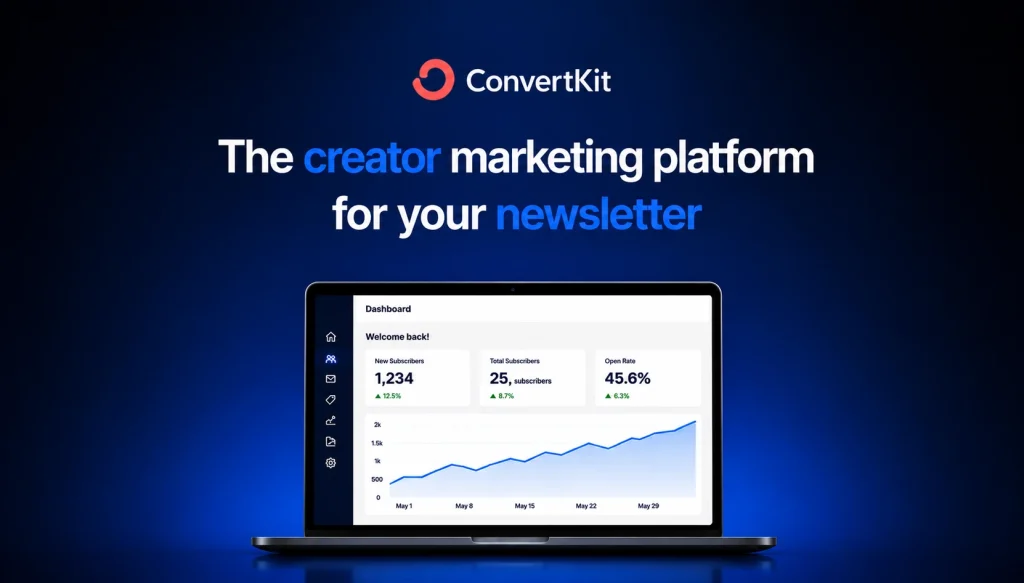
Kit offers up to 10,000 subscribers on its free Newsletter plan. That’s the most generous free subscriber cap in email marketing right now.
You get unlimited broadcasts, unlimited landing pages, and unlimited forms. Built-in digital product selling is available at no cost.
The catch: you only get one automation rule. One. If you want full welcome sequences or any real behavioral flows, you’re paying for Creator.
Mailchimp’s Free Plan
Mailchimp’s free plan was cut significantly in January 2026. It now covers just 250 contacts and 500 emails per month.
Automation was removed entirely from the free tier in mid-2025. There’s no scheduling. There’s no A/B testing. Mailchimp branding appears on every email you send.
This plan is essentially a demo now. It won’t support a real business.
Bottom line: Kit’s free plan is 40 times more generous by subscriber count. If you’re starting out, Kit isn’t even a competition here.
Pricing on Paid Plans
Kit Pricing
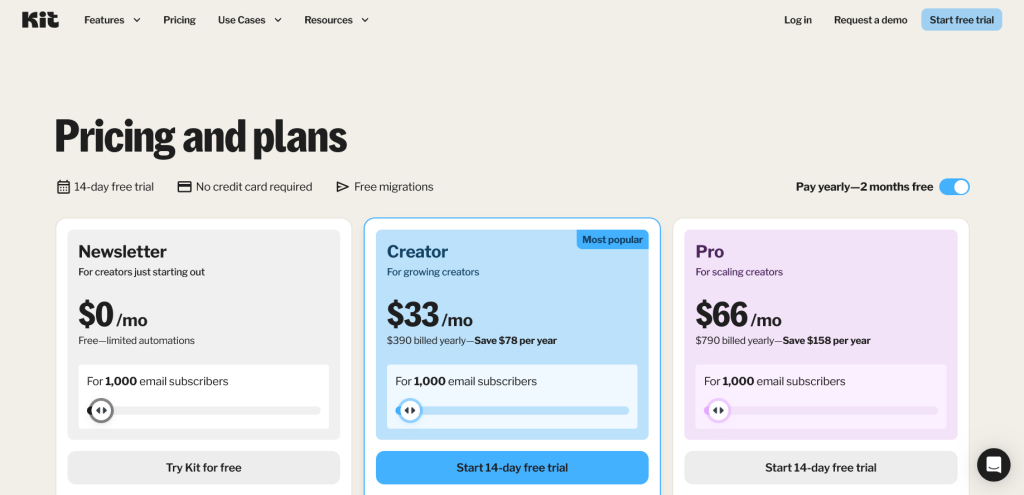
Kit Creator starts at $39/month for up to 1,000 subscribers (or $33/month on annual billing).
That unlocks full visual automation, unlimited sequences, 70+ integrations, and no branding. Prices scale as your list grows:
- 3,000 subscribers: $59/month
- 5,000 subscribers: $89/month
- 10,000 subscribers: $139/month
Note: Kit raised prices roughly 35% in September 2025. At the entry level, it’s now more expensive than several competitors.
Mailchimp Pricing
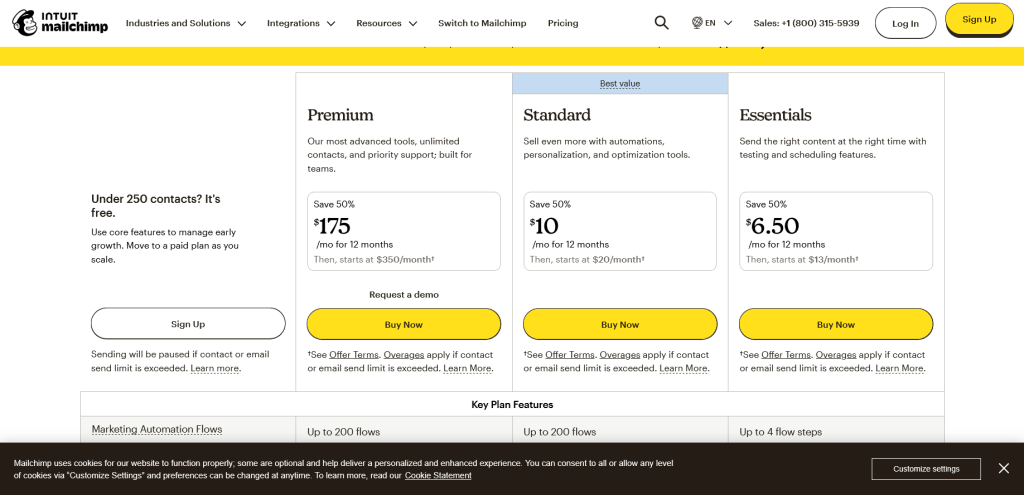
Mailchimp Essentials starts at $13/month for 500 contacts. But Essentials has no multi-step automation. You need the Standard plan for that.
Standard starts at $20/month for 500 contacts and scales fast:
- 5,000 contacts: ~$75/month
- 10,000 contacts: ~$100/month
One critical thing: Mailchimp bills for all contacts, including unsubscribed ones. Kit only bills for active subscribers. If your list has a lot of inactive or unsubscribed contacts, Mailchimp’s real cost is higher than the sticker price suggests.
Bottom line: Mailchimp is cheaper at the entry level. Kit is cheaper when you account for billing model differences and what each platform actually includes.
Automation: Where It Really Matters
Kit Automation
Kit’s visual automation builder is one of the reasons creators stick with it.
You can build full sequences triggered by tags, subscriber behavior, form submissions, or purchases. The logic is clean. Even non-technical solopreneurs can build a working welcome sequence in under an hour.
The free plan limits you to one automation. Creator unlocks everything.
Mailchimp Automation
Mailchimp’s Customer Journey Builder is powerful. It has branching logic, behavioral triggers, and solid e-commerce flows.
The problem: it’s locked behind the Standard plan. If you’re on Essentials, you have no real automation at all.
For solopreneurs who need basic email sequences, Kit’s Creator plan gives you more functional automation for a comparable price.
Bottom line: For simple, effective audience automation, Kit is more accessible. For complex multi-channel e-commerce flows, Mailchimp is deeper.
Email Design and Templates
Kit Design
Kit leans heavily on plain-text style emails. There are only 15 templates.
For creators, this actually works in your favor. Plain-text emails typically outperform heavily designed ones for open rates and deliverability. They feel more personal.
If you want visually rich branded emails with lots of design control, Kit will frustrate you.
Mailchimp Design
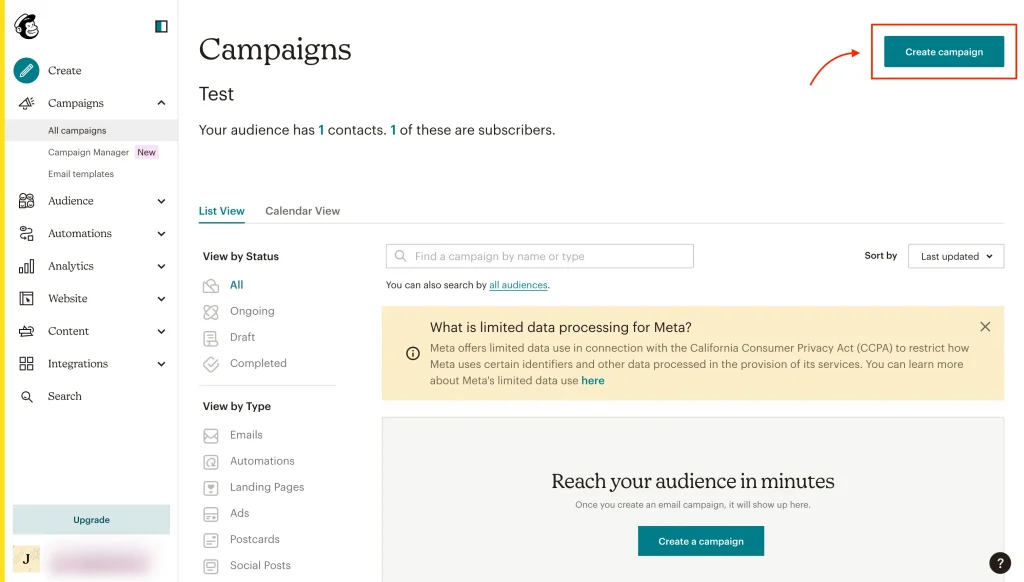
Mailchimp has 100+ templates and a genuinely flexible drag-and-drop editor. You can build polished, brand-consistent emails without touching code.
For product launches, promotional campaigns, or any scenario where visual design matters, Mailchimp wins this category.
Bottom line: Content creators who want clean, personal-feeling emails do better with Kit. Brands that want designed campaigns do better with Mailchimp.

Deliverability
Both platforms have solid deliverability. Kit edges ahead at around 98% inbox placement rate. Mailchimp lands around 96%.
Kit enforces double opt-in by default and leans toward plain-text formats, both of which spam filters tend to favor. Mailchimp’s shared IP pools are massive, which can affect deliverability in certain scenarios.
For a solopreneur building a permission-based list, both are more than adequate. Don’t choose between these two on deliverability alone.
Selling Digital Products
This one is completely one-sided.
Kit has built-in digital product selling across all plans. You can sell ebooks, courses, templates, and digital downloads directly through the platform without a third-party tool.
Mailchimp has no digital product selling. You need a separate tool and integration to sell anything.
If monetization through digital products is part of your plan, this matters a lot.
Who Should Pick Kit
Pick Kit if:
- You’re building a newsletter or content business
- You want a large free subscriber cap while you test your concept
- You plan to sell digital products alongside your email list
- You want clean automations without a steep learning curve
- You care more about relationship-building than visual design
The honest take: Kit was designed for exactly the solopreneur use case. The free plan is genuinely useful. The automation is approachable. If you’re a creator, this is probably your platform.
Who Should Pick Mailchimp
Pick Mailchimp if:
- You run an e-commerce store that needs deep platform integrations
- You need visually polished, designed email campaigns
- You want access to 300+ third-party integrations
- You’re already in the Mailchimp ecosystem and migrating feels like more work than the upgrade
- Your primary focus is product promotion, not audience-building
The honest take: Mailchimp makes more sense for product-based businesses than for content creators. If you’re selling physical products through Shopify or WooCommerce, Mailchimp’s integrations and e-commerce flows are hard to beat.
The Billing Trap to Watch For
One more thing solopreneurs consistently miss: Mailchimp counts unsubscribed contacts toward your billing limit.
Every person who has ever opted out still takes up a slot in your plan. You have to manually archive them to remove them from your count. If you’ve been building a list for any length of time, this can quietly put you on a higher-priced tier.
Kit only bills for active subscribers. It’s a cleaner model for solopreneurs who are growing and pruning a list over time.
Key Takeaways
- Kit’s free plan is far more generous: 10,000 subscribers vs Mailchimp’s 250 contacts.
- Mailchimp removed automation from its free plan entirely in 2025. Kit includes one automation rule free.
- Kit Creator ($39/mo) includes full automation, digital product selling, and clean subscriber management.
- Mailchimp needs its Standard plan ($20/mo+) before automation is available.
- Mailchimp bills for unsubscribed contacts. Kit only bills for active subscribers.
- Kit’s deliverability is marginally better: ~98% vs ~96% inbox rate.
- For content creators and solopreneurs, Kit is the stronger default choice in 2026.
- For e-commerce and product businesses, Mailchimp’s integrations and template library justify the switch.
Like the comparison guide? Check out our beehive and substack comparison!
FAQs
Is ConvertKit still called ConvertKit in 2026?
No. ConvertKit officially rebranded to Kit in late 2024. The product, pricing structure, and features are the same — it’s a name change, not a platform change. Most people still search for it as ConvertKit, so both names refer to the same tool.
Does Mailchimp still have a free plan in 2026?
Yes, but barely. Mailchimp’s free plan was cut to 250 contacts and 500 emails per month in early 2026. Automation was removed from the free tier entirely in mid-2025. At those limits, it’s only useful for testing the interface before committing to a paid plan.
Which has better email automation: Kit or Mailchimp?
For solopreneurs, Kit. The visual automation builder on the Creator plan is more intuitive and unlocks faster than Mailchimp’s, which requires the Standard plan at minimum. For complex e-commerce automation with multi-channel workflows, Mailchimp’s Customer Journey Builder is more powerful.
Can I switch from Mailchimp to Kit without losing my list?
Yes. Kit offers free migrations and you can import your subscriber list via CSV. The process is straightforward. The main effort is rebuilding any automations on Kit’s platform, which typically takes a few hours depending on how complex your current workflows are.